Swifty Sports App Review: User & Expert Ratings (2026)
The purpose of our Swifty Sports app review is to ensure you are clued up on what to expect from it.
Whether you are a new customer or an existing 'Swifty' that is yet to take the plunge into the app, we'll leave you informed about how to download the app, sign up, deposit funds and much more.
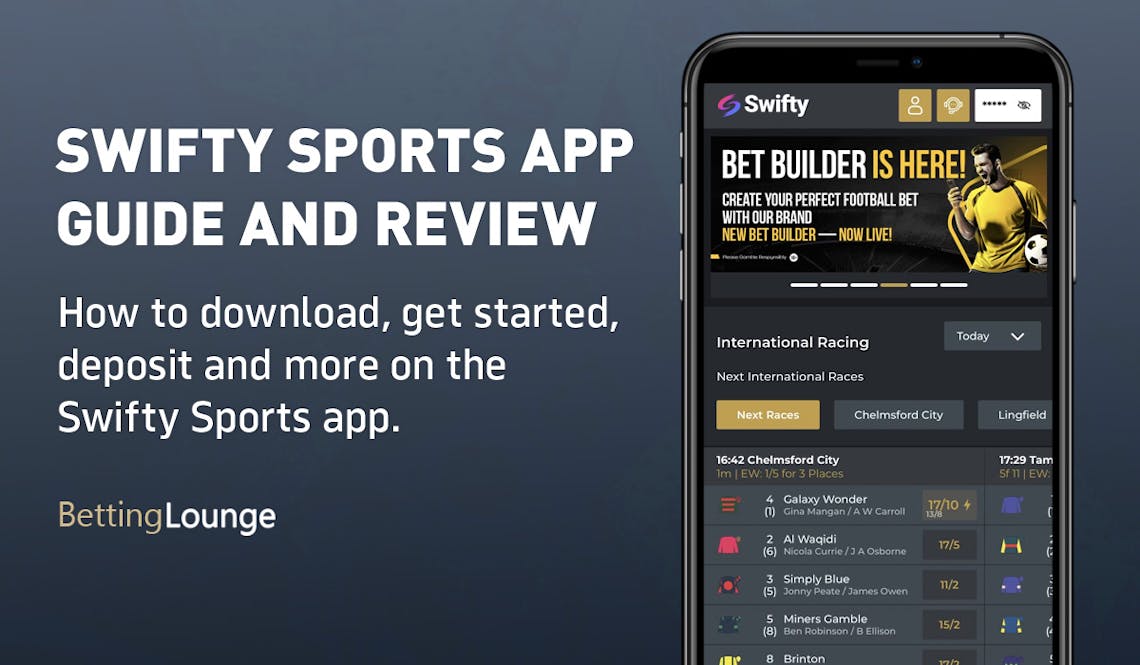
Swifty Sports Apps: Download The Latest Android and iOS Versions (April 2026)
Swifty Sports doesn't have a long history behind it. However, it has clearly entered the market with a good understanding of what modern bettors want. A big part of that is having a good platform to play "on the go", which includes offering a mobile app.
There are two ways to download the Swifty Sports app. The first involves navigating directly to the Swifty Sports site. From there, head to the site footer and you'll find a horizontal button that spans the width of the page. It reads 'Download our mobile app'.
Clicking on the button, you'll then see a redirect to your app store.
The other option you have is to navigate to your chosen app store. Here, search for the term 'Swifty' and locate the app 'Swifty Sports' by Swifty Global.
The app has limited customer reviews, scoring a middling 3 out of 5 stars. It's nothing to write home about but, equally, we'd encourage you not to read too much into such a small sample of customer reviews.
-
Swifty Sports Apps
Google Play App Store




How to Register on the Swifty Sports App
If you are already a Swifty Sports customer then you don't need to register again. Simply download the app and login using your standard login information.
If, however, you are new to Swifty Sports, you can register directly on the app. Follow our registration steps below:
-
Open the App and Hit 'Register or Login'
Open the Swifty Sports app. In the top right corner, you will see a white button stating 'Register or Login'. Click it.
You will then need to click on a gold button containing the same wording.

-
Enter Your Key Account Detail
There is now a registration form to navigate through, which starts with entering your email address.
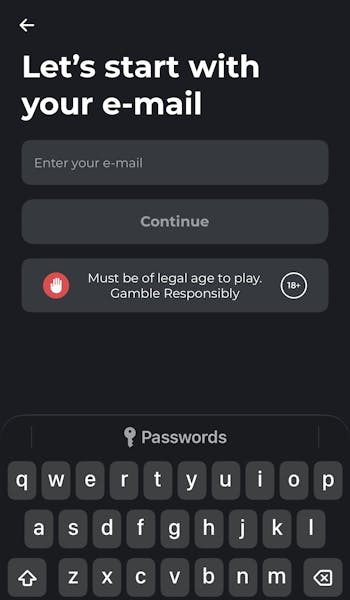
Follow the process through, clicking the golden 'continue' buttons that appear once all required information has been entered.
The information you will need to provide is: Email address, Name, Country of residence and Date of birth.
-
Complete the Registration
Once the above information has been given, you will need to create a password and configure your marketing preferences. You will then need to verify your email address, which simply involves submitting a four-digit code.
You can also repeat this process for your mobile phone number. Your account is now setup.

How to Deposit on the Swifty Sports App
If you're going to bet at Swifty Sports then depositing funds to your account is something you have to do. Follow our process below:
| Payment Method | Min Deposit | Max Deposit | Deposit Fee | Processing Time | Triggers Bonus |
|---|---|---|---|---|---|
 Visa | £10 | £5,000 | No fee | Instant | |
 Mastercard | £10 | £5,000 | No fee | Instant | |
 Apple Pay | £5 | Not specified | No fee | Instant | |
 Instant Bank Transfer | £10 | £5,000 | No fee | Instant |
-
Click on Your Account Balance
If this is the first time you've deposited funds into your account, you will see a white button in the top right corner containing an account balance of £0.00. Click it.

-
Verify Your Identity
As part of your first deposit, you will have to go through a quick identity verification process. This only takes a couple of minutes. To do this, you will need to take a photo of some form of ID, and then validate it with a selfie.
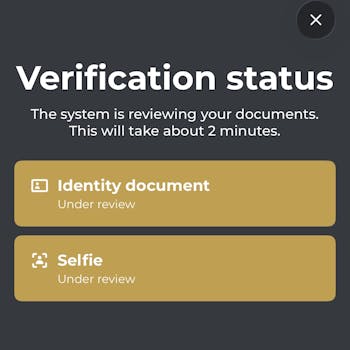
You will see your documents and photo go into an 'Under Review' position. This should be rapidly resolved, allowing you to move on with the deposit process.
-
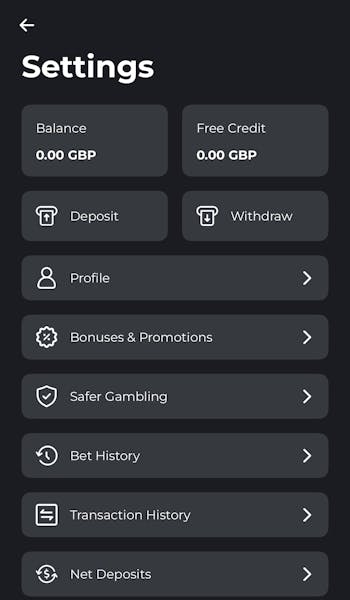
Select 'Deposit' and Set Your Amount
You can now navigate to your account balance, in line with step one of this process, and select 'Deposit' from the menu options.
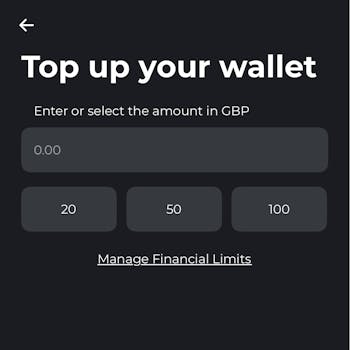
You can now set your deposit amount, which can be typed into the box pre-populated with '0.00' or by using the quick deposit options of £10, £50 and £100.
-
Enter Your Payment Details
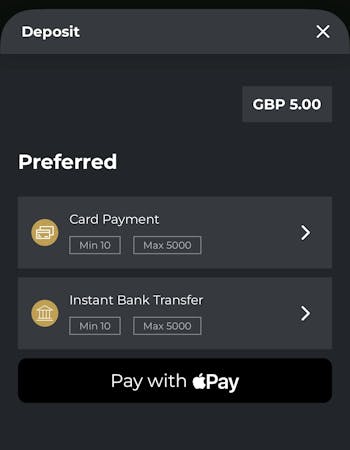
Your next step in the Swifty Sports deposit process is to enter your relevant payment details. Apple Pay is the app default for us, as an iOS user, but alternative options are available.
Click your preferred banking method and confirm your deposit.
How to Withdraw on the Swifty Sports App
If all goes well, sooner or later, you'll be looking to withdraw funds from your Swifty Sports app. That's easily done; simply follow our process below:
-
Hit Your Account Balance
Providing you are logged in to the Swifty Sports app, you should see your account balance presented in a white box in the top right hand corner. Click it.

-
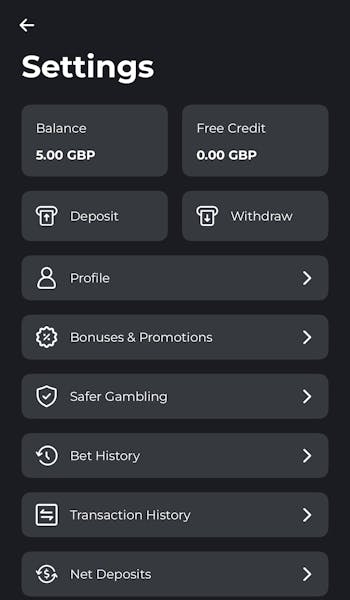
Navigate to 'Withdraw'
The previous step opens up your account overview. You can now select the "Withdraw" button from the menu options.
-
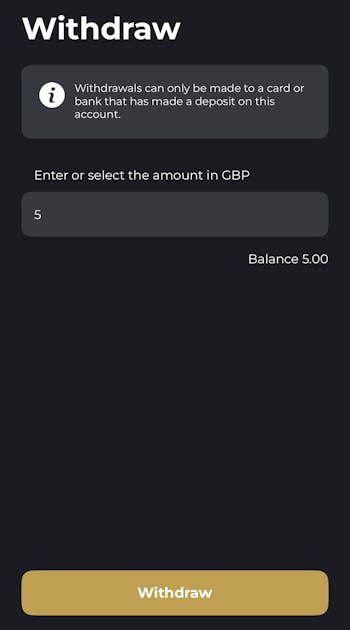
Enter the Amount to Withdraw
Once in the cashier, you first need to enter the amount that you would like to withdraw from Swifty Sports. When done, hit the gold 'Withdraw' button.
-
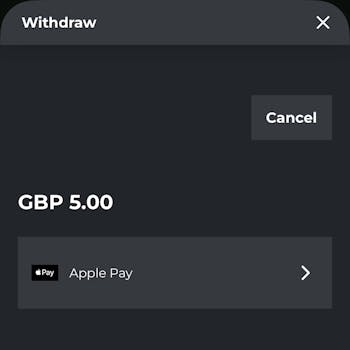
Choose the Payment Method
Finally, while you can only withdraw with a payment method that you have previously used to deposit funds, you still have to select said method. We used Apple Pay in our withdrawal tests, as you can see below.
Swifty Sports App Sports Review
Our Swifty Sports app-focused review looks at how the app operates across sporting markets, including app structure, navigation and general responsiveness. If you are looking for information on the sportsbook specifically, we would recommend reading our full Swifty Sports review instead.
Your default sports view sees the top quarter of the screen dominated by promotional information, be it big-picture offers or specific price boosts.
Underneath that you get a view of horse racing, which can be toggled through a horizontal menu that details different courses and dropdown button that changes the time period. Below that, you get a view of what Swifty feel are the top events across all sports.

The main way of navigating the sportsbook though comes courtesy of the 'Search' button in the bottom left corner. This opens up a vertical menu that lists all of the available sports. When picking one of those sports, for example football, your view changes again.
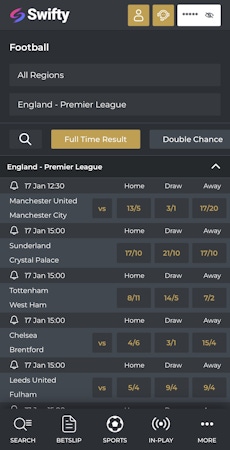
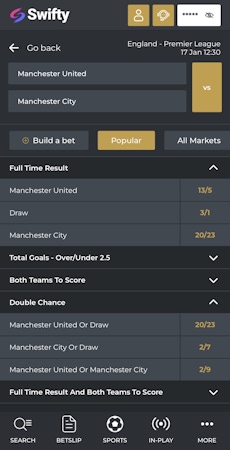
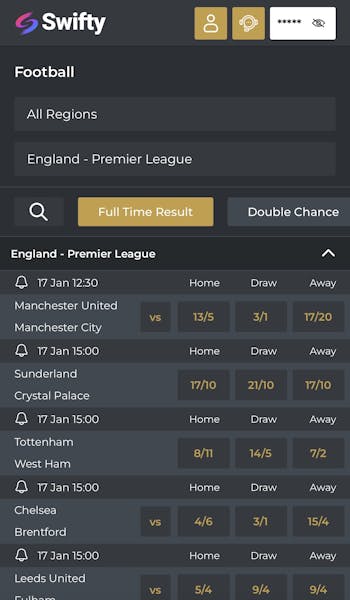
Now you can see the current live events as a default but that's easily changed. Two options at the top of the page allow you to switch between region and competition, whilst a quick-reference horizontal scrollbar allows you to toggle the default view between a series of popular betting markets.
The fixture and odds layout here is really clean; it's easy to look at with odds simple to interpret.
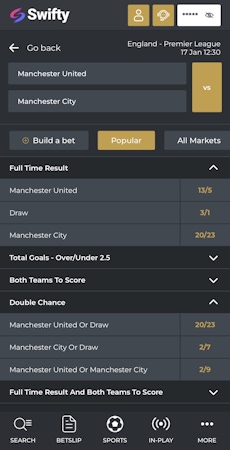
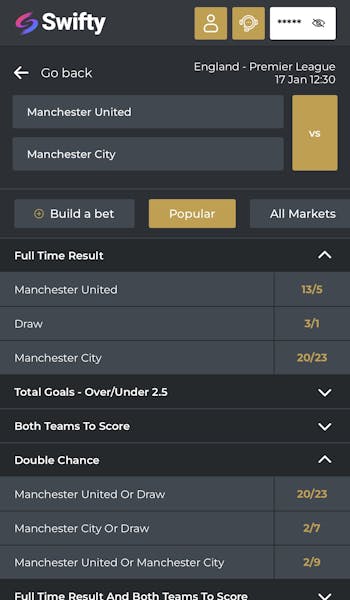
When you then click on a specific event, which in the case of football means a fixture, the look and feel of the app remains very similar. Markets are collapsible, meaning you don't waste time scrolling through huge lists of odds.
Placing a bet is easy too. Simply clicking on a specific price brings up a betslip. From there you can configure a stake and bet.
Swifty Sports App Casino Review
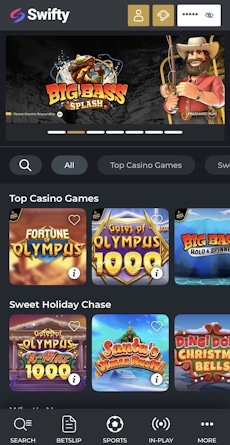
With a name like 'Swifty Sports', it is hardly surprising that the sportsbook takes centre stage on the app. You can also access a casino and live casino, though.
Hitting the 'More' option on the app footer will bring up these options. Note, the image below shows a 'Less' button - this is interchangeable with the aforementioned 'More' button depending on whether or not the menu has been expanded or not.
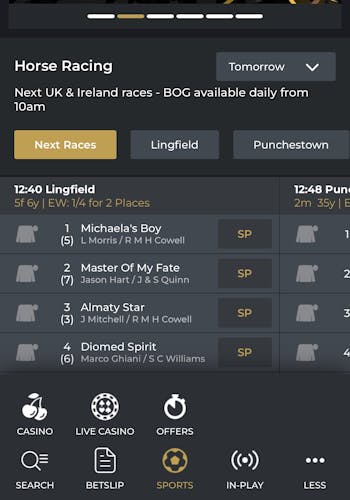
Whether you are navigating to the casino or the live casino, the view and structure you get is the same. That's good - consistency really boosts the user experience.
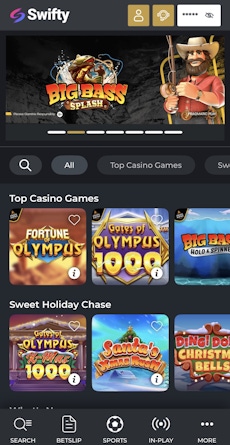
Like in the sportsbook, there is a top panel that dominates the top quarter of the default page. Expect to see bonus offers and promoted games featured across this space.
Under that, you have a scrollable horizontal menu that enables you to filter by different game categories, whilst a search option exists on the left-hand side of that.
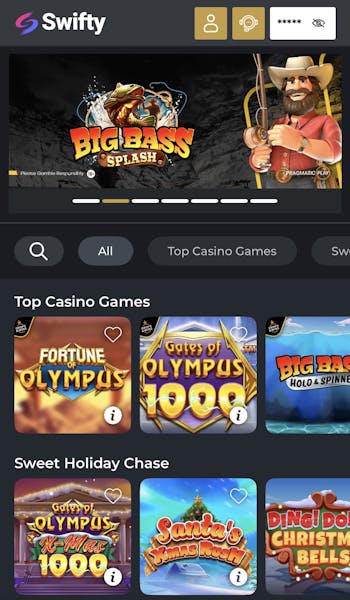
Then, you get into the game library itself. Sub-headings are clearly displayed and game tiles are well-sized.
To further aid the user, each tile contains an 'i' icon in the bottom corner. Clicking on this brings up minimum and maximum stake information and the RTP and number of reels attached to the game.
Customer Support on the Swifty Sports App
Your main route to contacting Swifty Sports is a live chat function. It's easily overlooked on the app, but actually, once you know where it is, it's super accessible. It lives in the app header, which is constantly visible. It's the small headset icon next to your account balance.
Response times were pretty much instant during our exchanges, with Swifty support being polite and detailed with their replies.
Expert Opinion of the Swifty Sports App

We really like the Swifty Sports app. The appearance of the app is smart, the layout is decent and every touch is responsive regardless of whether you're in the sportsbook or casino.
The only thing that keeps it away from being a truly top-tier app is a lack of personalisation control in respect of default views.
Still, all things considered, if you're a Swifty customer - or planning on becoming one - we fully recommend downloading it.
More Swifty Sports Guides


Ashley, an Ipswich Town fan, is an experienced content writer in the sports & betting space, who also has an extensive background in data analytics. Those skills combine here to allow for unique angles to be taken across a host of topics.