Fitzdares App Review: User and Expert Ratings (2026)
Is the Fitzdares app actually worth using, or should you stick to the desktop version?
We put it to the test, downloading the apps, signing up, depositing real money, placing bets, and withdrawing our winnings, to see how well it really performs.
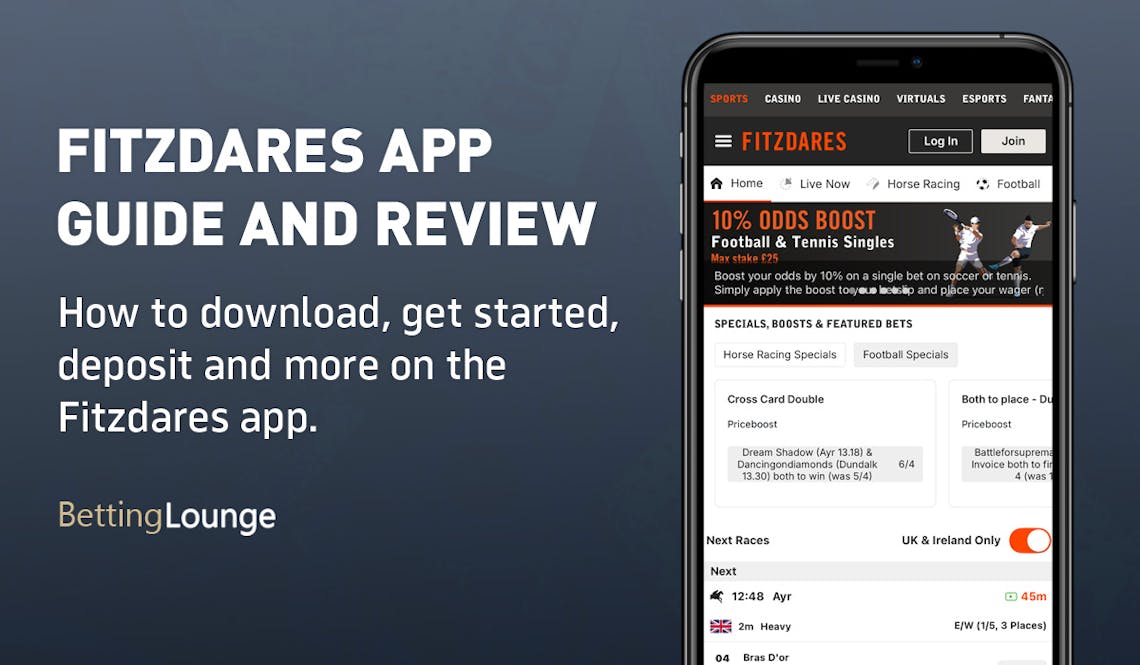
Fitzdares Apps: Download The Latest Android and iOS Versions (April 2026)
Fitzdares might be the only domain to exist under the aptly named Fitzdares Limited (UKGC: 400), but with 20 years of experience of serving customers in the betting space, it is fair to say it knows a thing or two about what punters want.
The decision to take the online plunge in 2018 was a wise one, and offering a dedicated Fitzdares app further enhances its appeal. Whether it is any good, on the other hand, is something our review will take a look at.
There are two avenues you can explore to download the app, which is available for Android and iOS devices. The first option is to navigate directly to Fitzdares' website. If you scroll to the site footer, you will see buttons to begin your app download process.
Alternatively, you can head to your chosen app store and search 'Fitzdares'. You are looking to locate an icon that is an orange 'F' on a black background. Clicking it will bring up more details, including a few marketing-driven screenshots of the app.
The key things we'd shine a light on here are the app size, which comes in at 114.2MB, and the review scoring. It is awarded a tidy 3.7 out of 5 on the Apple App Store. That's a decent score, even if there aren't hundreds of reviews, so keep the smaller sample size in mind.
-
Fitzdares Apps
Google Play App Store


How to Register on the Fitzdares App
Logging in to the Fitzdares app is super simple if you are already a Fitzdares customer; you can simply use your standard login details.
New customers, meanwhile, will need to download the app and then register for an account. You can do that by following our step-by-step process below:
-
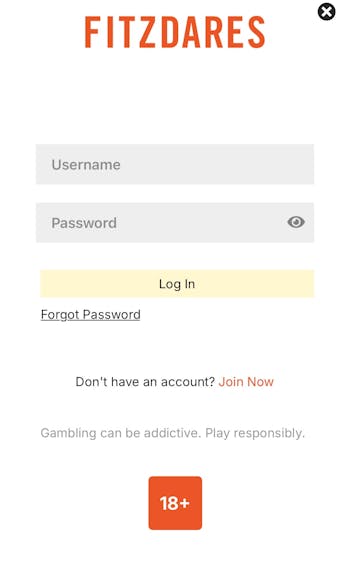
Open the Fitzdares App and Hit "Join Now"
On opening the Fitzdares app, you will be presented with a stripped back sign-in screen. At the bottom of this, there is a question 'Don't have an account' and, next to that, orange text that states 'Join Now'. Click the orange text.
-
Enter Your Key Account Detail
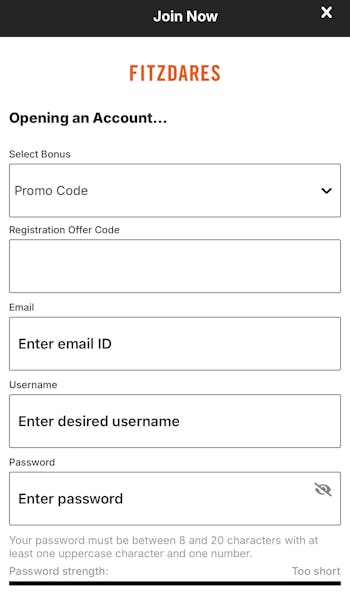
You now have an intuitive sign-up form to complete. The first page of that requires you to input your email address, username and create a password. Once done, hit continue.
This brings you to another page of the sign-up form and calls for some personal information. You can continue completing the relevant information and will see the dull yellow 'continue' button brighten up when all required info has been provided.
-
Set Limits and Hit 'Join'
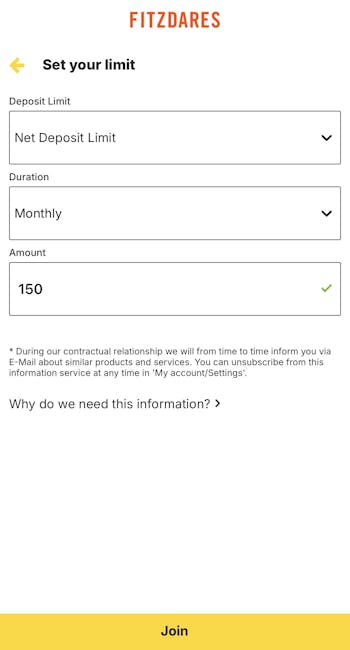
The final part of this process will give you the option to configure a deposit or time limit as part of Fitzdares commitment to responsible gambling. Once complete, hit the yellow 'Join' button at the bottom of the page.
How to Deposit on the Fitzdares App
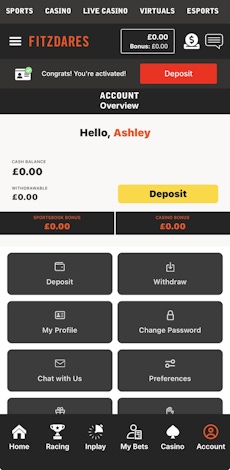
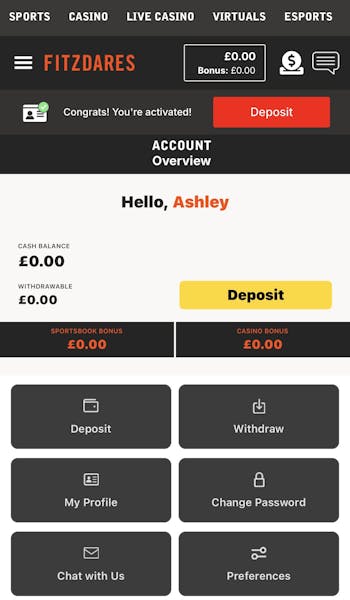
After completing the Fitzdares registration, you will be defaulted into a view of your account overview. From here, you can make your first deposit by following our step-by-step guide below.
| Payment Method | Min Deposit | Max Deposit | Deposit Fee | Processing Time | Triggers Bonus |
|---|---|---|---|---|---|
 Visa | £10 | Not specified | No fee | Instant | |
 Mastercard | £10 | Not specified | No fee | Instant | |
 Apple Pay | £10 | Not specified | No fee | Instant |
-
Click on the 'Deposit' button
You will see two fairly prominently located 'Deposit' buttons on your screen. One is red and located in the top right corner. The other is yellow and located around a third of the way down the page, again, on the right.
Click either of those buttons.
-
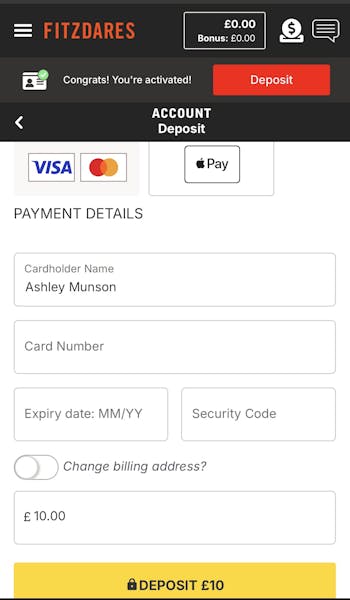
Choose Your Payment Method
The payment options at Fitzdares are not exactly extensive, however, you do have a choice. At the top of your page now, you will be able to toggle between debit card and Apple Pay options.
Choose your preferred method. Once done, input the relevant payment information underneath, including your card number and so on.
You can now declare your chosen deposit amount in the bottom box. Once content with your inputs, hit the yellow 'Deposit' button.
How to Withdraw on the Fitzdares App
All being well, at some point, you will want to withdraw funds from your Fitzdares account. You can do that by following the process below:
-
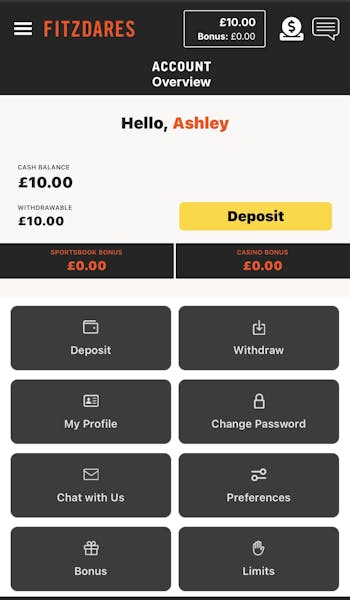
Open Your Account Section
Ensuring you are logged into your Fitzdares app, head to your account section by using the head & shoulders icon, located in the bottom right corner.
-
Navigate to 'Withdraw'
You will see a number of grey boxes appear in the bottom half of the screen. The top right one of those should be a 'Withdraw' button. Click it.
-
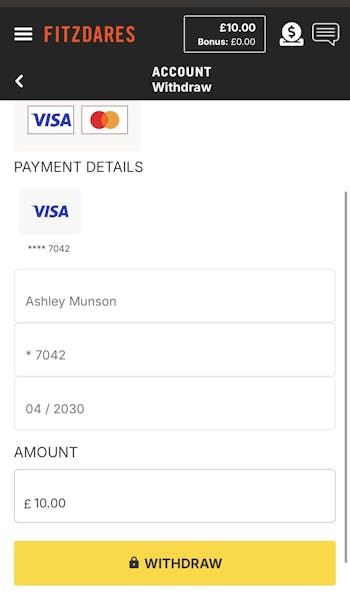
Set Your Withdrawal Amount
Your withdrawal method will already be populated, as it reverts to the method you used to deposit from. With that in mind, navigate to the 'Amount' box towards the bottom.
Set your chosen withdrawal amount and, once done, hit the yellow 'Withdraw' button.
Fitzdares App Sports Review
Right, this is a Fitzdares app review, which means that we are going to focus on the app performance in terms of usability, navigation and structure - not on the quality of the underpinning sports metrics, such as market depths and competition coverage. We do have you covered on that front, though; check out our in-depth Fitzdares bookmaker review.
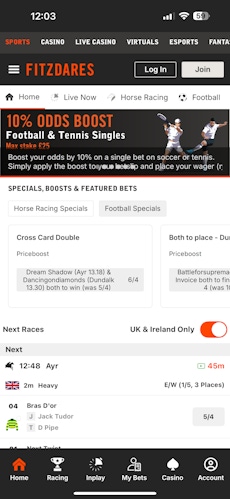
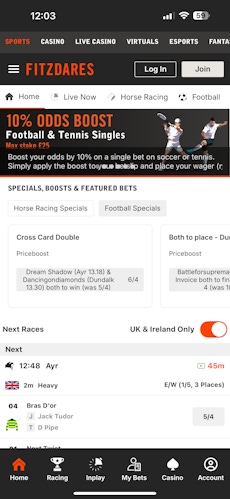
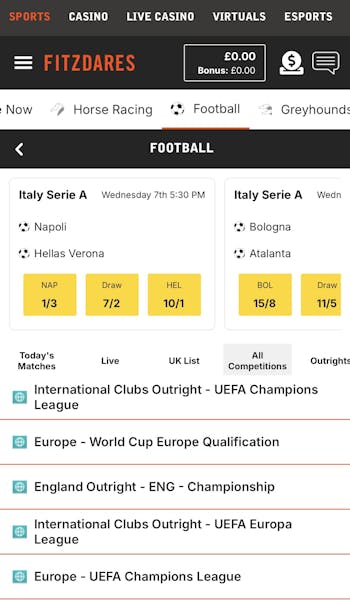
The default app view comes under the 'Home' heading. This is sports-dominated. A scrollable menu runs across the top of the page with grey icons and text contrasting nicely against the white strip. It's easy to use and very responsive to a simple finger swipe for navigation.
Under that, you get into special offers and boosted odds. Scrolling further down the page, you will quickly find upcoming events.
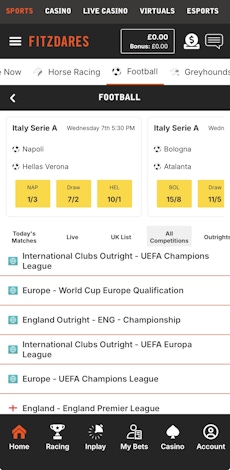
This is great for general exploration. However, when you want to target a specific sport, you simply find it in the menu - either the aforementioned horizontal scroll panel or from the top left burger menu.
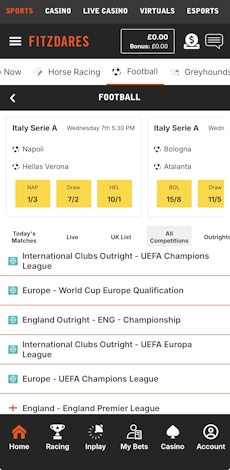
Here you can see top events, upcoming matches but, importantly, you've also got another horizontal menu halfway down the page that allows you to focus on certain things, be it "Outrights", "All Competitions" or "UK List". This really helps to target what you want.
A simple click into an event then enables you to see the fixtures due to take place, with headline odds clearly displayed alongside them.
You are also able to expand into 'More Bets' with a simple tap. Here, you can use collapsible panels to shrink or expand the number of markets you see in-depth. Regardless, placing a bet is a matter of mere seconds.
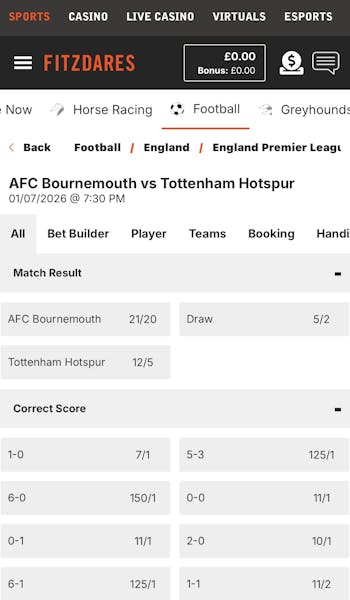
It's a similar story across all of the sportsbook, however, it is worth noting that 'Racing' has its own master category on the bottom menu row, as do 'In Play' markets.
Fitzdares App Casino Review
Sports, and specifically horse racing, might be the bread and butter for Fitzdares but it also provides a casino space. It is accessible in the same app via the ever-present footer.
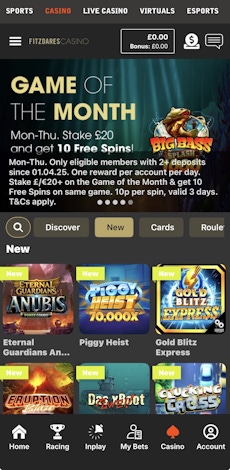
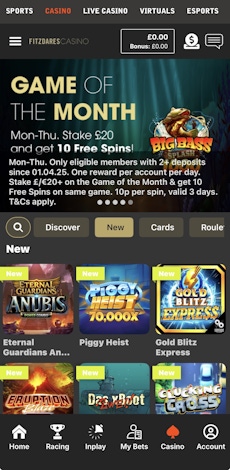
The casino comes with a premium feel but, interestingly, it does take on a very different vibe to the sportsbook. That's primarily down to a different colour scheme, rather than anything structural.
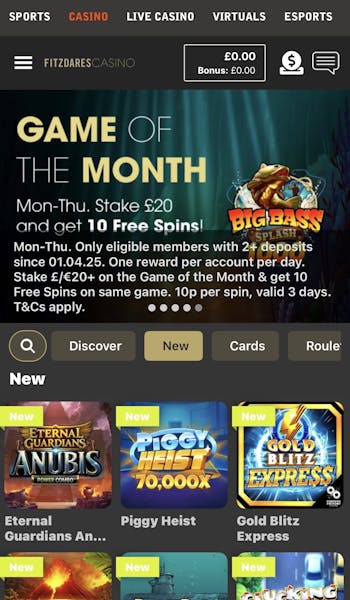
On the navigation front, the fundamentals remain the same. Key promotional items dominate the top of the page, with a horizontal scrollbar containing different game categories that serve as a separator to the main game library.
If you don't want to use that horizontal menu, within the pool of games below, you get a 25-game-per-row view of different categories, which is scrollable and clear to see courtesy of large thumbnails. You can then move beyond that 25-game view using the 'Show All' option.
There is also a game search function to use, but detailed game filtering is a notable miss.
Customer Support on the Fitzdares App
The customer support options at Fitzdares aren't huge but they are certainly effective, and they are easy to access too. Both of those are positive things.
All of the access is driven from your main account section. Here you've got various buttons that you can interact with, including responsible gambling support and general user preferences.
The critical piece where customer support is concerned, though, is the "Chat with Us" button. Tapping on this will take you into a live chat, which is managed by humans.
During our tests, response times were pretty much instant and the detail we received was good too. The only downside is that it is only open between 8 am and midnight, not 24 hours per day.
Expert Opinion of the Fitzdares App

We would stop short of suggesting that the Fitzdares app is excellent, but we'd certainly position it in the above-average category. The app is well considered from a layout perspective, with everything easy to find and each aspect of the app responsive.
If you are a Fitzdares customer or are thinking of becoming one, we suggest you download the app. It will enhance your experience, even if it struggles to match the best betting apps around.
More Fitzdares Guides


Ashley, an Ipswich Town fan, is an experienced content writer in the sports & betting space, who also has an extensive background in data analytics. Those skills combine here to allow for unique angles to be taken across a host of topics.