BestOdds Apps: Download The Latest Android and iOS Versions (March 2026)
Bestodds doesn't boast an extensive history, nor does it have an established customer base. What it does have, however, is its eyes wide open to what a modern punter expects to find at an online bookmaker. Clearly, in 2026 a big part of that is a mobile app.
Where the Bestodds mobile app is concerned, there is only one avenue from which it can be downloaded. With no direct links from the website itself, head to your app store of choice.
Once there, search for the term "Bestodds". You are looking for the app by Razorbill Links Limited. From a review standpoint, we cannot read into what is on the app store.
From an iOS perspective, it earns five stars but has only had a couple of reviews. What we can take stock of, however, is the size of the app. At 21.9MB, it's memory-friendly and won't cause any issues, even on the most basic of modern smartphones.
-
BestOdds App
Google Play App Store


How to Register on the BestOdds App
If you have registered with BestOdds through their website, then you can utilise your details on the app to access your account.
If, however, you are a newbie, you can register directly on the app. The step-by-step process below takes you through what you need to know.
-
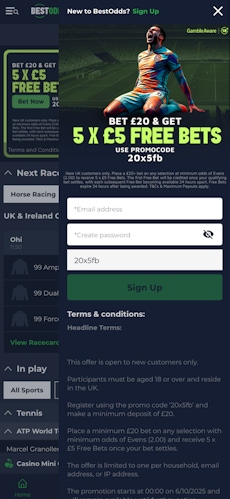
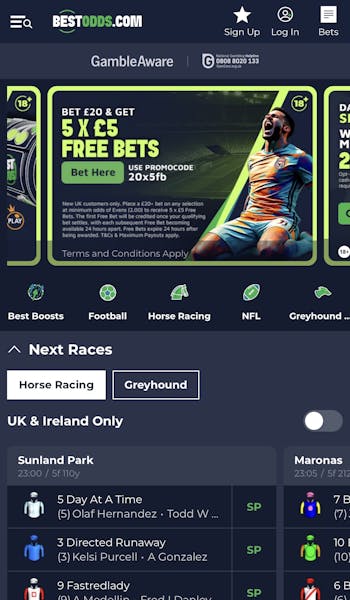
Open the App and Hit 'Sign Up'
After opening the app, head to the top right corner and locate the "Sign Up" button, represented by a star icon.
Click it.
-
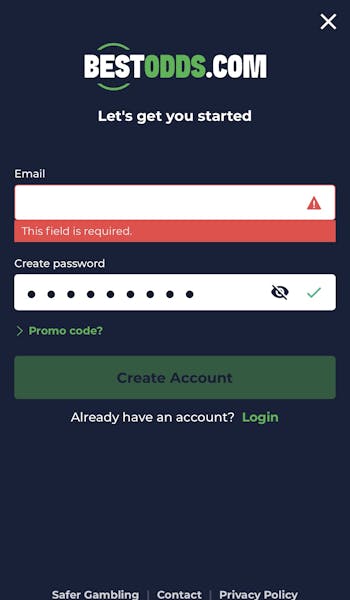
Input Your Email & Password
You are now at the start of the BestOdds registration form. Your first job is to input your email address and create a password.
Once done, the "Create Account" button will turn green.
Click it.
-
Complete the Registration Form
There are now three pages for you to complete to finalise your registration.
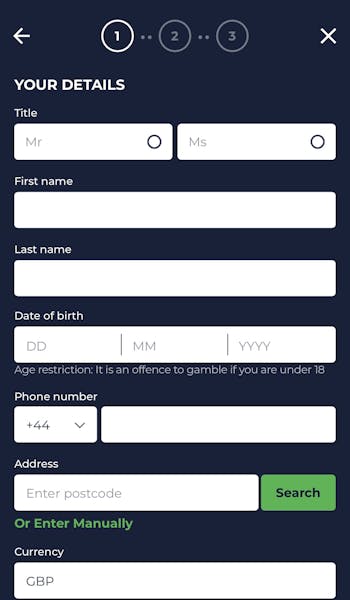
Page one requires you to input some personal information, including your name, date of birth and address. There is also the requirement to submit your marketing preferences.
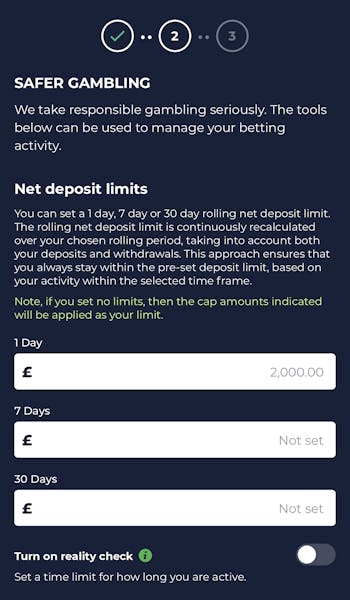
The second page of the process is all about configuring your "Safer Gambling" steps, whilst the final step is one route to you making your first deposit.
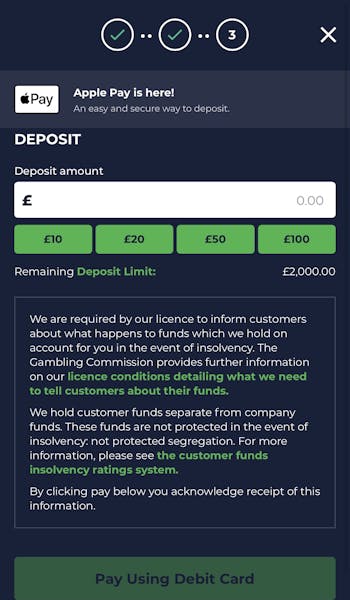
How to Deposit on the BestOdds App
You have the option to deposit at BestOdds as part of your registration process. If, however, you want to deposit after that, you can follow the below process:
| Payment Method | Min Deposit | Max Deposit | Deposit Fee | Processing Time | Triggers Bonus |
|---|---|---|---|---|---|
 Visa | £5 | Not specified | No fee | Instant | |
 Mastercard | £5 | Not specified | No fee | Instant | |
 Apple Pay | £5 | Not specified | No fee | Instant |
-
Click on Your Account Balance
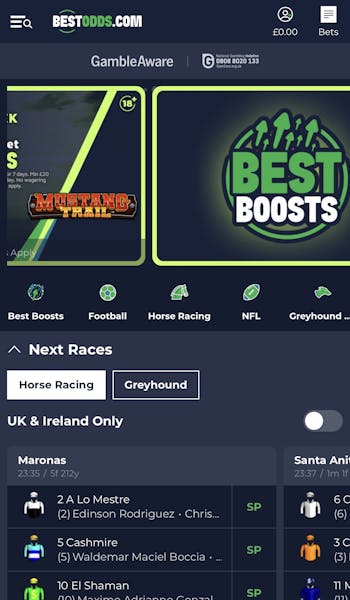
In the top right corner of the app screen, there is a head and shoulders icon that shows your account balance underneath it. Click on it.
-
Hit "Deposit"
Clicking on your account balance brings you into your account overview. Locate the green "Deposit" button and click it.
-
Choose Your Deposit Amount
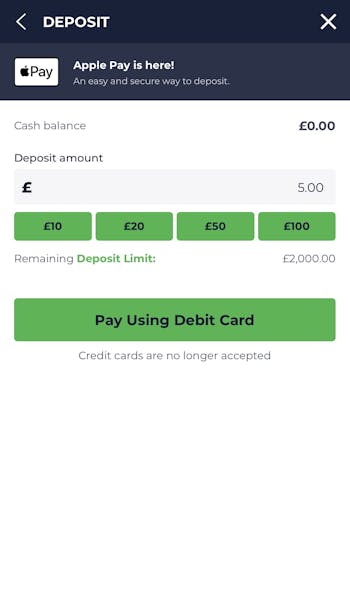
You now need to declare your chosen deposit amount. You can use one of the four green quick deposit options - £10, £20, £50 or £100 - or enter a bespoke amount in the grey box.
Once configured, hit the "Pay Using Debit Card" button. Note - this doesn't default you to paying with a debit card!
-
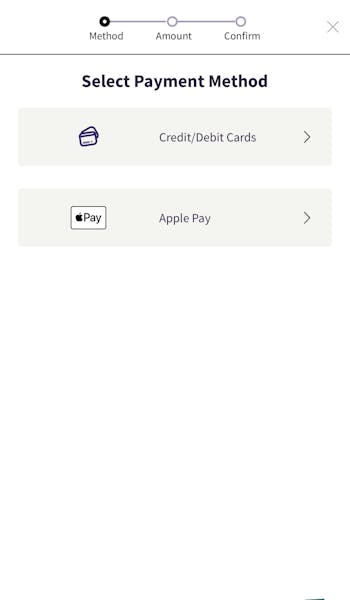
Choose Your Payment Method
You can now choose how you want to deposit to your BestOdds account. Pick your preferred payment option and, when done, input the relevant payment details before confirming your deposit.
How to Withdraw on the BestOdds App
You will, at some point, find yourself in a position where you want to pull funds out of your account. The BestOdds withdrawal process is outlined below:
| Payment Method | Min Withdrawal | Max Withdrawal | Withdrawal Fee | Withdrawal Time |
|---|---|---|---|---|
| Visa | £5 | Not specified | No fee | 50 minutes in our test |
| Mastercard | £5 | Not specified | No fee | 0-3 business days |
| Apple Pay | £5 | Not specified | No fee | 0-3 business days |
-
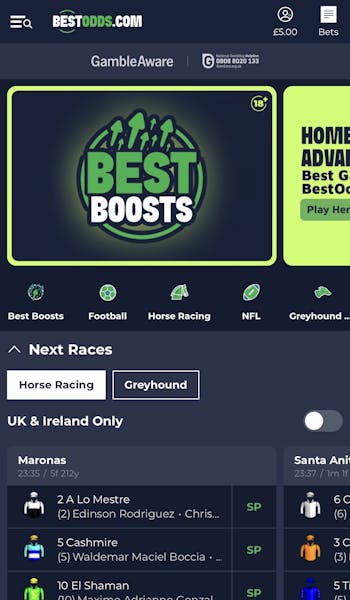
Hit Your Account Balance
Ensuring you are logged into the BestOdds account, click on the account balance displayed in the top right hand corner of your screen.
-
Navigate to 'Withdraw'
You will now be presented with the account overview, which contains a host of options. You need to find locate the grey "Withdraw" button, which is positioned towards the top right corner.
-
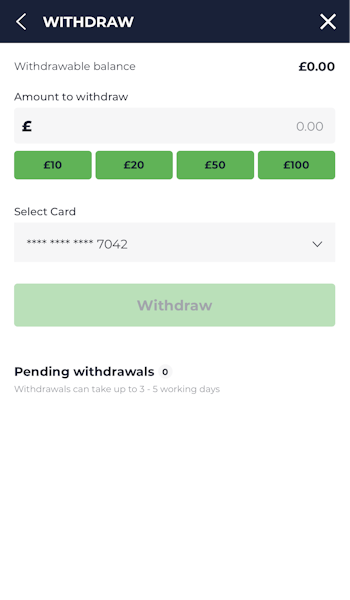
Enter the Amount to Withdraw
You now need to input your desired withdrawal amount, which can be keyed in manually into the grey box at the top of the page or populated with the quick reference buttons underneath.
When done, hit "Withdraw".
BestOdds App Sports Review
If you are keen to understand what is on offer to you from a sports coverage and market depth perspective, this isn't the read for you.
You'll want to check out our full and in-depth Bestodds review. This is our BestOdds app review and focuses on how the sportsbook is structured from a navigation and layout perspective.
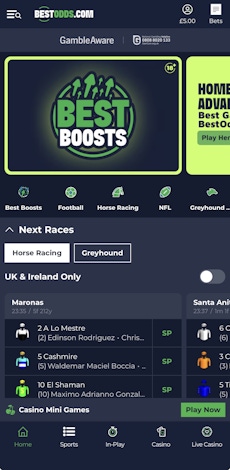
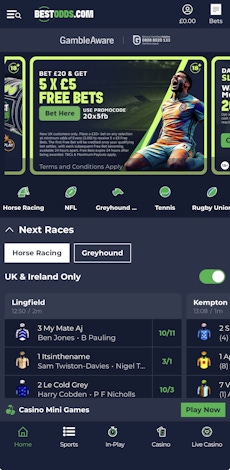
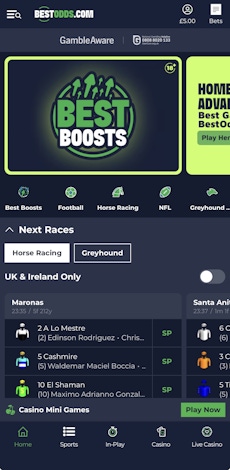
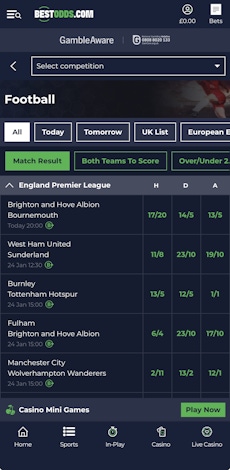
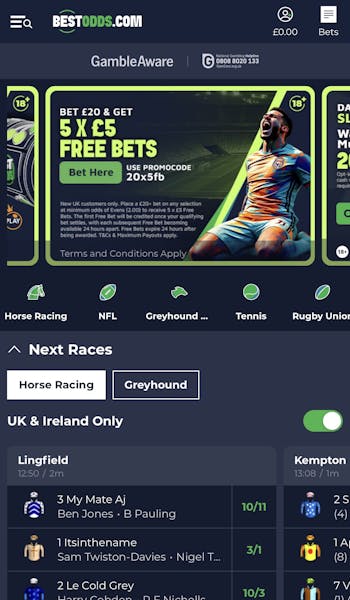
The sports landing page is split into two halves. The top part of the app screen is full of bonus and promotion information, signposting special offers and key features of Bestodds. Under that is a horizontal scrollbar that features words and icons, signposting an A-Z of the sports available.
Then, immediately underneath that we get into some betting markets. For Bestodds, the default view is upcoming horse races, followed by in-play markets.
Notably, there are some neat features within this view that help to quickly change what you see. There is a quick-toggle to switch from horses to greyhounds, and a toggle option to focus on UK & Ireland or Global events.
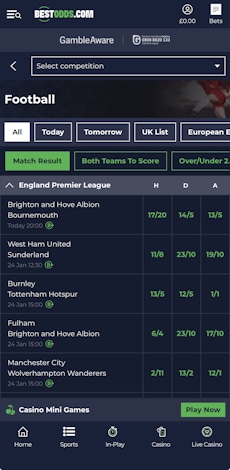
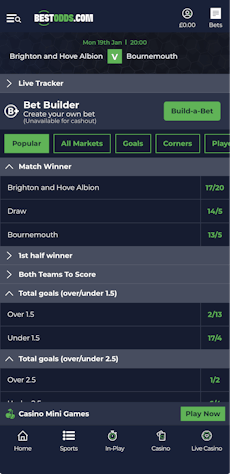
Despite having a default view, selecting one of the sport categories changes that view. Clicking into Football, for example, the colour scheme remains consistent, but the rest of the design is quite different.
You can select a specific competition with a dropdown menu at the top of the page, explore fixtures by a range of different lists, for example, by date or by looking at the "UK List" - it's not dissimilar to the paper slips you'd find in the bricks and mortar bookies - whilst a secondary layer allows you to explore different headline markets. It's all very simple to use.
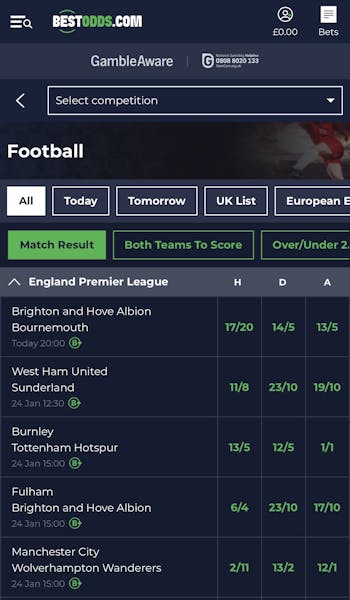
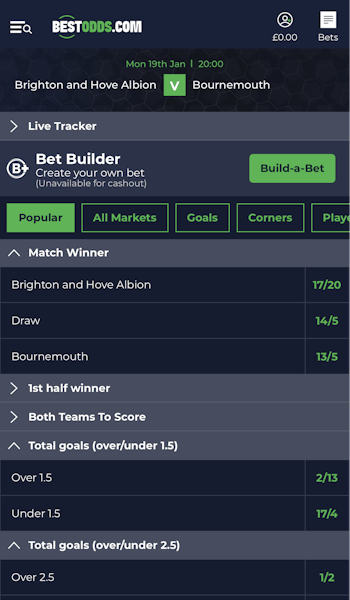
Beneath these horizontal menu options, you can see a range of events, with their headline odds clearly displayed. Clicking into one of those games will bring up a lot more depth of market.
The presence of another horizontal menu features here too, allowing you to group markets into smaller, more browsable chunks. Having collapsible markets here also aids navigation.
BestOdds App Casino Review
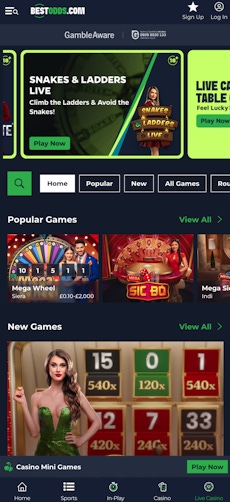
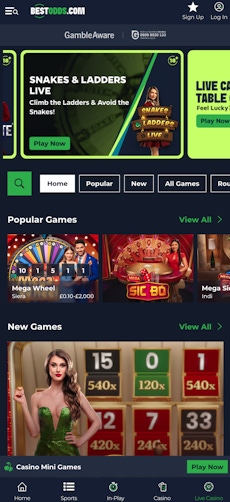
The BestOdds app splits casino play into two distinct sections - a traditional casino and a live casino. The two take on very similar layouts, and both are similar to the default sportsbook view.
The top portion of the screen is dominated by promotional activity, with a scrollable horizontal menu bar beneath that, allowing access to different categories. Bookending that menu is a search button and a basic filtering tool.
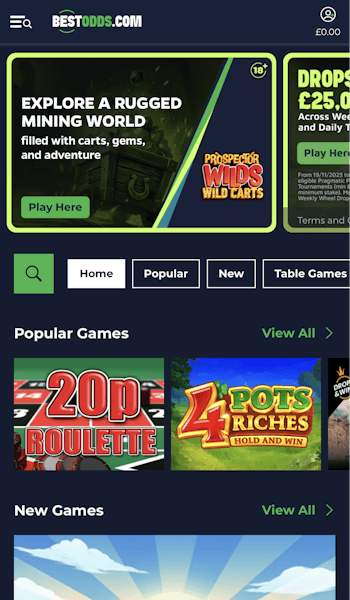
Under that, you get into the actual games themselves. These are well-sized, clearly labelled and responsive to touch. You can also easily see trending games, which is good way of exploring titles you have not necessarily seen before.
Customer Support on the BestOdds App
It is easy enough to locate the Help & Support section within the BestOdds app. You have two avenues to doing so. One is through the burger menu in the top left corner, with the other under your account overview in the top right.
Regardless of how you navigate to it, what you find there is the same. There is a detailed FAQ page, which is loaded with hyperlinked questions that branch into more detail, and then there is a separate Safer Gambling section that enables you to configure responsible gambling tools.
The big miss from the app is no clear way of physically contacting BestOdds staff. It's a glaring error.
Expert Opinion of the BestOdds App

With the poor customer support options aside, there is a lot to like about the BestOdds app. The layout of the app is clean, tidy and simple to navigate around, with the consistency across different areas really aiding that customer experience.
There are things that could be done to enhance the experience - especially with respect to allowing customisation of favourite views, for example - but, all things weighed up, we'd recommend using the BestOdds app, over simply using its website.
More BestOdds Guides


Ashley, an Ipswich Town fan, is an experienced content writer in the sports & betting space, who also has an extensive background in data analytics. Those skills combine here to allow for unique angles to be taken across a host of topics.