36Vegas App Review: User and Expert Ratings (2026)
To assess whether it is worth downloading, we test the 36Vegas app across all fronts. We start with downloading the app, going through a registration, depositing funds, withdrawing funds and exploring every corner of the offering along the way.
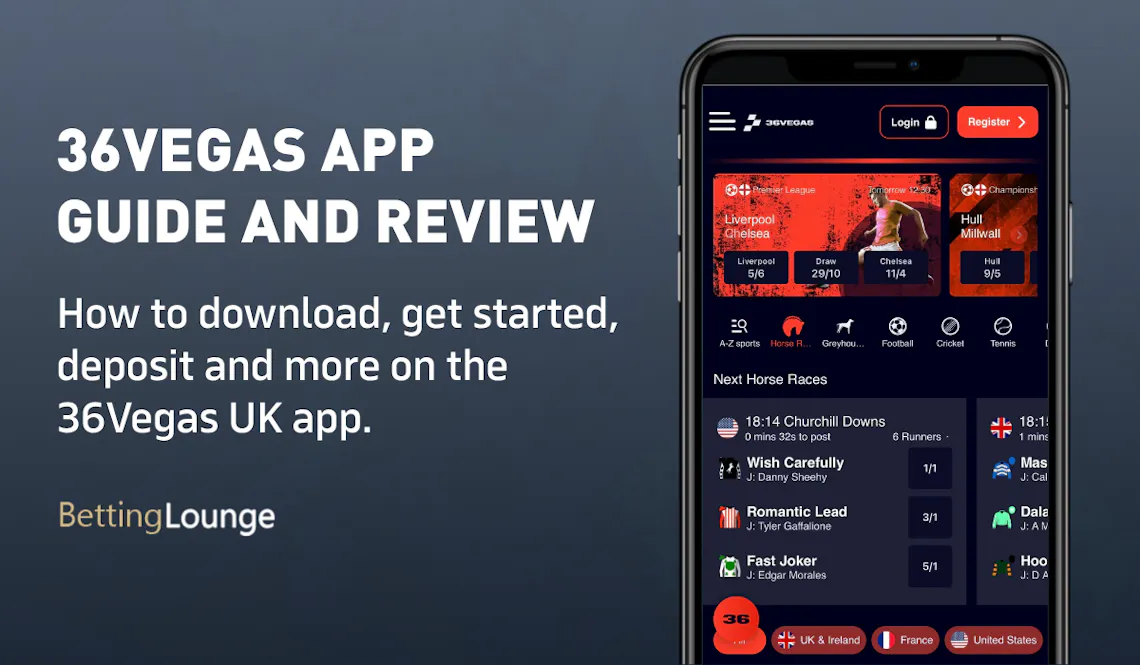

36Vegas Apps: Download The Latest Android and iOS Versions (October 2026)
With most customer-facing companies - bookmakers and otherwise - offering mobile apps in 2026, punters expect usability to be slick, regardless of whether they use the Android of iOS version.
We will be giving your our view on how it performs, but we also know all perspectives count. This is how the app rates in the respective app stores:
- ⭐ 5.0 average on the App Store (5 reviews)
- ⭐ Unrated on the Google Play Store (0 reviews)
Clearly, whilst it can pay to consider alternative view points, with only a handful of reviews having been conducted across the two app stores, we would encourage you to take the ratings with a pinch of salt.
Thankfully, downloading the 36Vegas app is simple so you can easily form your own opinion, if our review inspires you to do so.
With no direct link of downloading the app on the 36Vegas site, we'd encourage you to navigate to the app using one of our dedicated links, rather than having to search through the app stores for the correct version.
-
36Vegas Apps
Google Play App Store



How to Register on the 36Vegas App
If you are already a 36Vegas customer then you can download the mobile app and login using your usual details.
If, however, you are becoming a 36Vegas punter for the first time, you can complete the full registration process on the app. Simply follow the below steps:
-
Open the 36Vegas App and hit "Join"
Assuming you have already downloaded the app, open it and click on the red "Register" button in the top right hand corner.

-
Enter Your Account Info
You will now be presented with an intuitive registration form that has to be completed. The steps include the input of:
- Username
- Password
- Full Name
- Email Address
- Date of Birth
- Mobile Number
Once done, hit the red "Next" button at the bottom of the page.

-
Input Your Address Details
The next page requires you to input your full address details.
Again, when done, hit the "Next" button.

-
Set Your Preferences
Finally, you have four tick buttons on the final page of the sign up form. These cover off things like Terms & Conditions and market preferences.
When happy with your choices, hit the "Done" button.

36Vegas App Deposits & Withdrawals
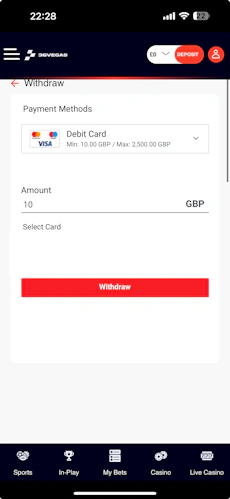
We have tested the deposit and withdrawal processes on the 36Vegas app, but since they are rather comprehensive subjects, we have dedicated pages for you to check out. On those, you can find all the details about the methods, the step-by-step process and other helpful tips.

36Vegas App Sports Review
It's important to stress that this is our 36Vegas app review. With that in mind, the focus here is to analyse and report on the structure of the sportsbook, how it looks, how it navigates and give an assessment of where the app design works and doesn't.
If it's a deep dive into the number sports, the margins and the market depth you want, that can be found in our in-depth 36Vegas review.
So, how does the 36Vegas sportsbook perform on mobile app?
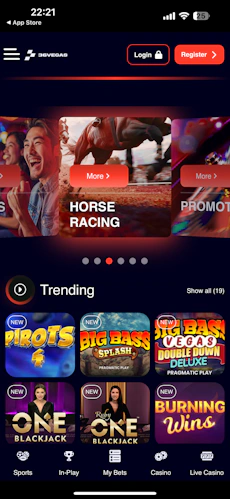
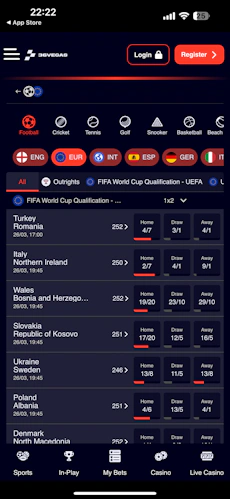
The screen is fairly busy on first glance, but the layout is actually quite intuitive. At the very top of your screen, you'll see a space dedicated to special offers and key events, which rotate horizontally on auto-pilot or in response to a finger swipe.

Beneath that, there is a scrollable navigation bar. This is your main avenue to exploring the range of sports offered by 36Vegas. The icons that feature here are clean and easy to interpret. The first option in that bar is an “A-Z Sports” button, which opens up a search functionality and some more detailed sports options, such as top leagues.

The view you get as you drill deeper into the 36Vegas sportsbook varies, depending on which sport you pick. What is important to note, though, is that there is excellent consistency in how events and odds are displayed. It makes it easy for bettors that switch between sports.

Events are clearly separated from one another with delicate lines running between them. Odds are then housed in darker boxes, making them easy to interact with.
You also have the ability to change your view in certain places, switching between “default” markets, for example. This is another way where the customer has been considered.
As you drill into a specific event, you can toggle between different views too. One of which brings event specific stats front and centre. The markets within each event can be expanded and collapsed, aiding navigation further.

36Vegas App Casino Review
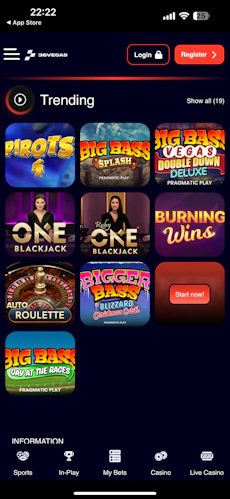
The 36Vegas app splits the casino into two separate sections, "Slots" and "Live Casino". These two areas have a very similar look and feel to them, with shared navigation techniques but they do present differently to the sportsbook, which is a minor point of annoyance for us.
You still have a horizontal scrollbar that allows category navigation, but it is a different style of bar to the sportsbook, sitting in a red ribbon and coming with the search bar sat underneath it. It is also noteworthy that you only have a text search bar, not a fully-fledged filtering tool.

As for the game lobby itself, games are presented in a neat enough manner, running three tiles wide on the screen. The interaction with those tiles is fine but, whilst we didn't encounter any miss-clicks, it has to be said that they are smaller than you will find with most casino operators.
Customer Support on the 36Vegas App
There are two ways to look at the 36Vegas customer support through the mobile app. One lens would say it's lacking because there is no option to pick up the phone, and an absence of any real quality FAQ.
The other would laud 36Vegas for the efficient live chat function that is offered, alongside an email address as another option.
For most punters betting on mobile, a live chat is probably the most likely mode of contact. There is a "36" logo almost ever-present across the app, which can be clicked to open the live chat. It makes it easy to find in a time of need.
With limited bot interference, you get quick and detailed human exchanges. This deserves massive praise in a time when many sites lean so heavily on AI to support their customer's needs.
With all things considered, we think the 36Vegas customer support is very good.
Expert Opinion of the 36Vegas App

There are plenty of customer-focussed choices made in the 36Vegas mobile app, albeit a lot of those features are also available on the browser-led version of the platform.
With the ability to configure push notifications as an added extra on the app, however, we think it is a worthwhile download. The fact it is only 10.2MB in size makes that decision somewhat of an easy one.

Ashley, an Ipswich Town fan, is an experienced content writer in the sports & betting space, who also has an extensive background in data analytics. Those skills combine here to allow for unique angles to be taken across a host of topics.