PricedUp App Review: User and Expert Ratings (2026)
If you are new to PricedUp or you are an existing customer who is looking to put more power to your fingertips, our PricedUp app review has you covered.
We take a detailed look at the app from a variety of angles, ticking off key processes, pulling apart any issues with navigation & usability and factoring in customer reviews as well.
By the time we have wrapped up, you will be much better informed in deciding whether or not the Pricedup app is the right thing for you.
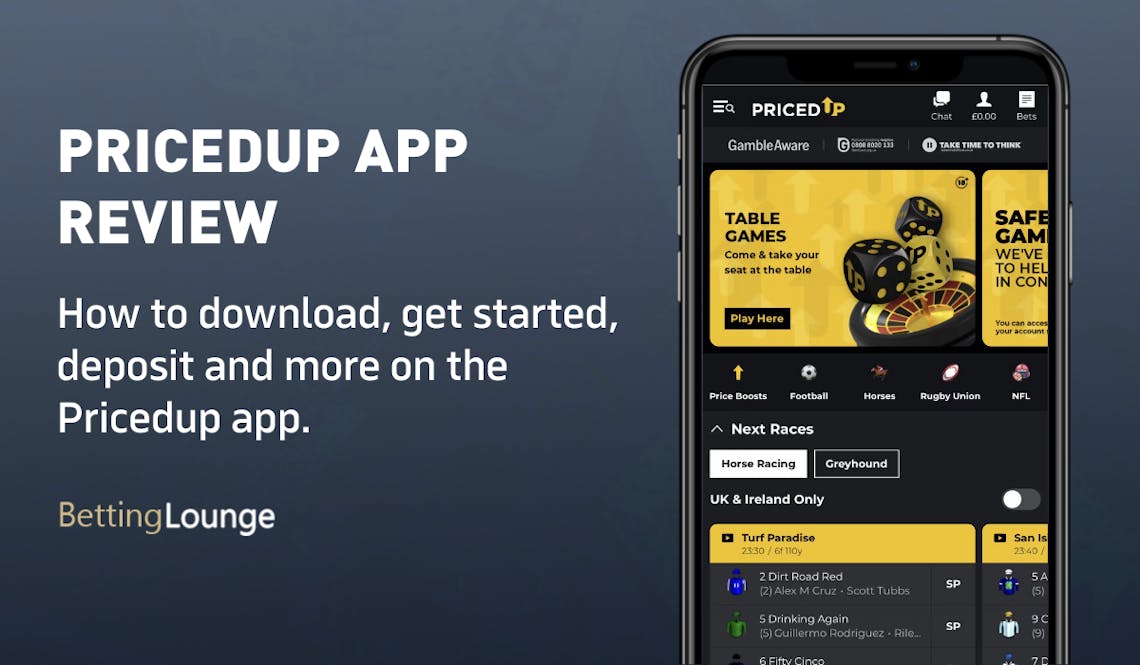
PricedUp Apps: Download The Latest Android and iOS Versions (March 2026)
With PricedUp having adapted to operating online long after the boom of mobile phones and on-the-go betting, it is fair to place some level of expectation on it delivering a decent mobile app.
It should not have been hamstrung by any legacy issues attached to old websites, for example, and instead had a blank canvas from which to launch.
We will get into the app quality throughout our PricedUp app review. For now, though, we need to highlight how to download the app, which is available for Android and iOS devices.
Whilst a lot of bookmakers that offer mobile apps provide a direct link to them via their own websites, that is not the case for Pricedup. Instead, you will have to go to your chosen app store and search for the term "PricedUp".
Here you will see a yellow and black-branded app, provided by Off Course Bookmakers. It takes up very little device memory, at just 21.8MB, but does lack a backbone of really strong reviews.
Rating wise, it is middle of the road at 2.8 out of five on the Apple App Store, but with only a handful of reviews having been left, it's tough to read too deeply.
-
PricedUp Apps
Google Play App Store


How to Register on the PricedUp App
You are not guaranteed to be a new PricedUp customer, just because you're downloading the app. If you are an existing customer, you can open the app and crack on with your usual login details.
If, however, you are a new customer, you can download the app and then register directly on it by following our below guide:
-
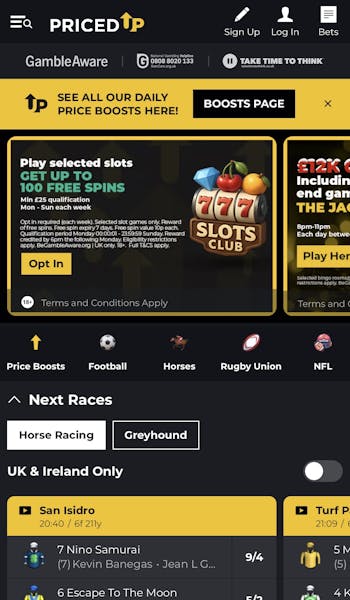
Open the PricedUp App and Hit "Sign Up"
On opening the PricedUp app, it requires you to approve location tracking, just to confirm you are a UK customer. Once done, you can begin your registration process by clicking on the pencil icon in the app header, labelled "Sign Up".
-
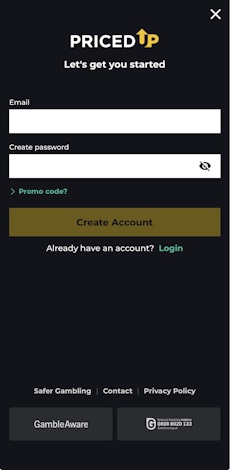
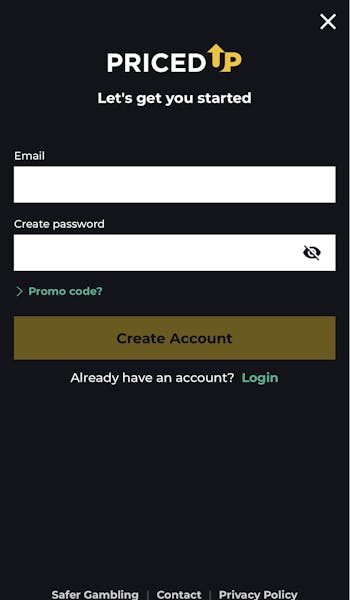
Enter Your Key Account Detail
You will now be faced with two boxes to populate. Input your email address and create a password.
Once done, the "Create Account" button will illuminate, allowing you to progress.
-
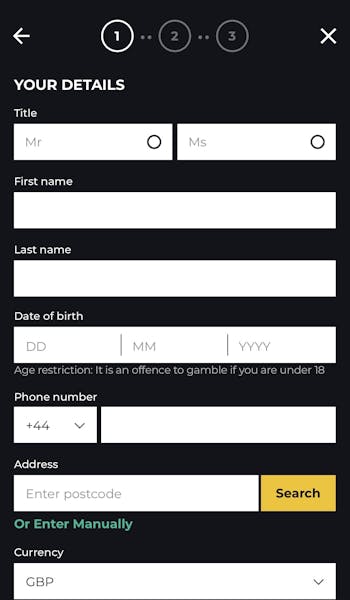
Complete the Registration Form
You now have a intuitive three-step form to complete. The detail you need to complete through this process consists of personal details, including name and address, and a requirement to configure some preferences around marketing and responsible gambling.
Follow the fields through each page, progressing to the next step by hitting the yellow button that appears at the bottom of the respective pages.
How to Deposit on the PricedUp App
Providing you are signed into the app, you are just a few clicks away from being able to deposit funds into your PricedUp account. Follow our step-by-step guide to do so:
| Payment Method | Min Deposit | Max Deposit | Deposit Fee | Processing Time | Triggers Bonus |
|---|---|---|---|---|---|
 Visa | £1 | £5,000 | No fee | Instant | |
 Mastercard | £1 | £5,000 | No fee | Instant | |
 Apple Pay | £1 | £5,000 | No fee | Instant | |
 Instant Bank Transfer | £1 | £5,000 | No fee | Instant |
| Payment Method | Min Withdrawal | Max Withdrawal | Withdrawal Fee | Withdrawal Time |
|---|---|---|---|---|
| Visa | £1 | Not specified | No fee | 4 minutes in our test |
| Mastercard | £1 | Not specified | No fee | 0-3 business days |
| Apple Pay | £1 | Not specified | No fee | 14 minutes in our test |
| Instant Bank Transfer | £1 | Not specified | No fee | Within 24 hours |
-
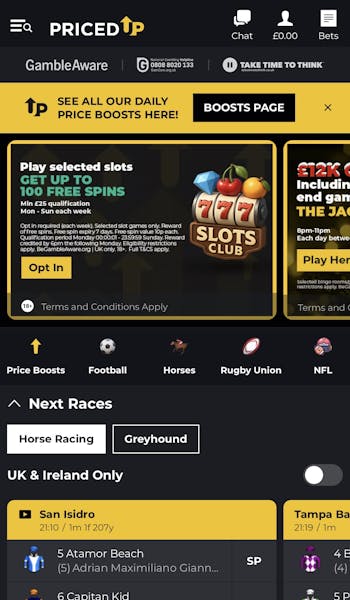
Click on Your Balance
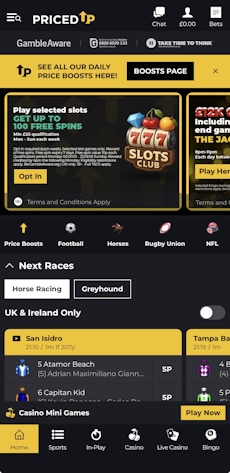
When you log in to the PricedUp app, you will see a header bar running across the top of the page at all times. On the right-hand side of this is an account button, which resembles a head and shoulders with an account balance stated underneath it.
Click it.
-
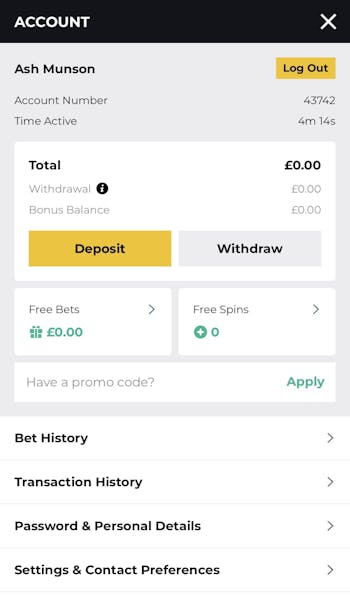
Navigate to "Deposit"
A white box will feature in the top part of your screen. Within this box, click on the yellow "Deposit" button. It is hard to miss.
-
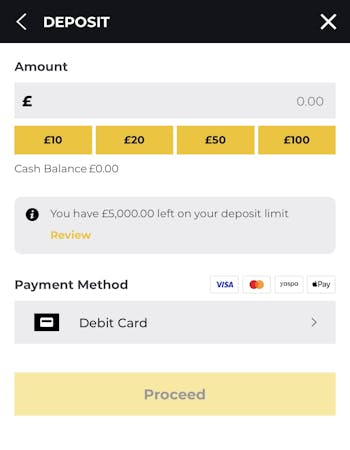
Declare Your Deposit Amount
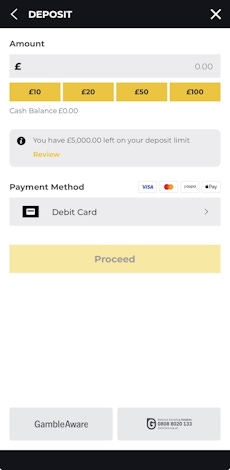
You have two ways to input your deposit amount. There are five quick reference options that can be clicked on, which range from £10 to £100 or, alternatively, you can manually input the desired amount into the "Amount" box.
Under this, you will then need to choose your payment method.
-
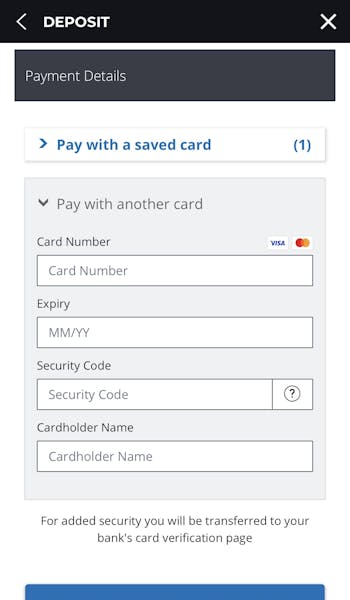
Enter Your Payment Details
You will now need to confirm your payment details. In this example, we used a debit card in our test, meaning it was a case of inputting our specific card details.
Once done, hit "Proceed to verification". You are now ready to bet.
How to Withdraw on the PricedUp App
At some point, you will hopefully be in a position to withdraw some funds from your account. The PricedUp withdrawal process works as detailed below:
-
Open Your Account Section
In the app header, click on the account menu option, symbolised by the head and shoulders icon.
-
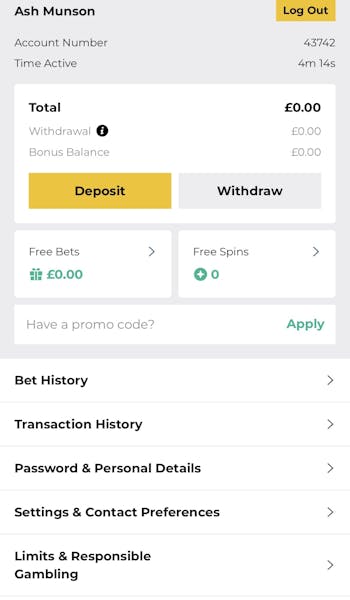
Navigate to "Withdraw"
Once in your account overview, head to the "Withdraw" button, which is located on the right hand side and shaded grey.
-
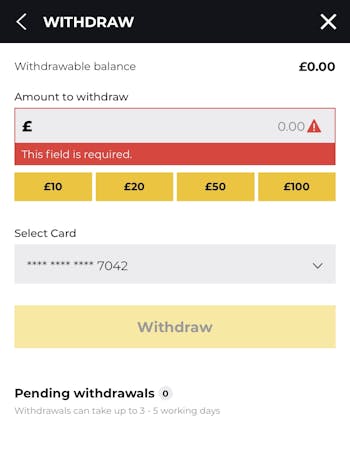
Set Your Withdrawal Amount
You can now set your chosen withdrawal amount, either by manually keying in your desired amount or by using the quick-reference buttons available. Once done, hit the yellow "withdraw" button.
PricedUp App Sports Review
If you want to understand the ins and outs of the PricedUp sportsbook, then we would encourage you to check out our in-depth PricedUp review. Here, our sole focus is on the PricedUp app. What that means is that we'll be talking to the app structure and navigation, not betting margins and market depths.
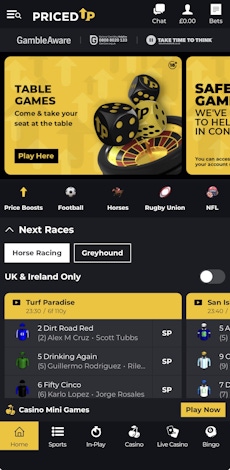
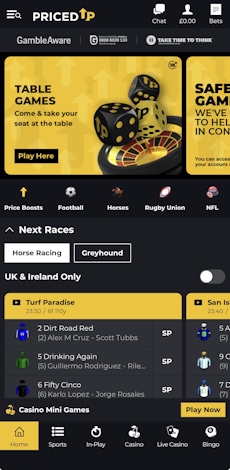
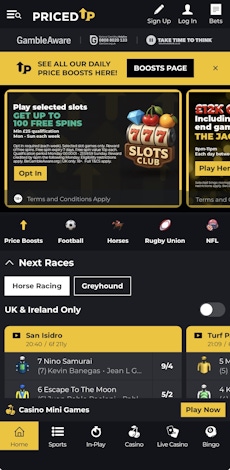
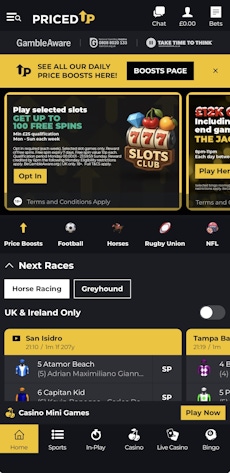
The homepage is heavily leaned towards racing with horses and greyhounds taking centre stage, but it is the horizontal scrollbar that lives towards the top of the page that becomes the driving force of your sportsbook navigation. A swipe of the finger will see you ready to explore all of the sports that are on offer at PricedUp.
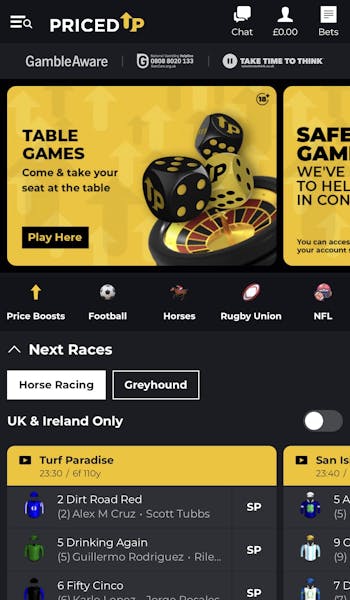
When you then choose to drill into a specific sport, the look and feel remain unchanged but with some critical differences.
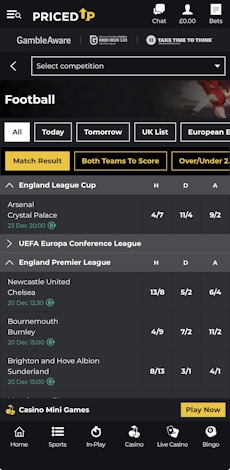
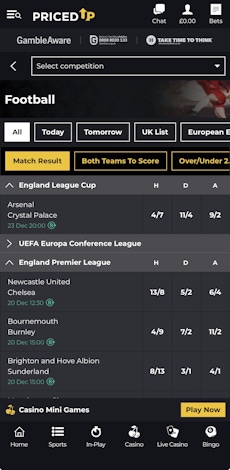
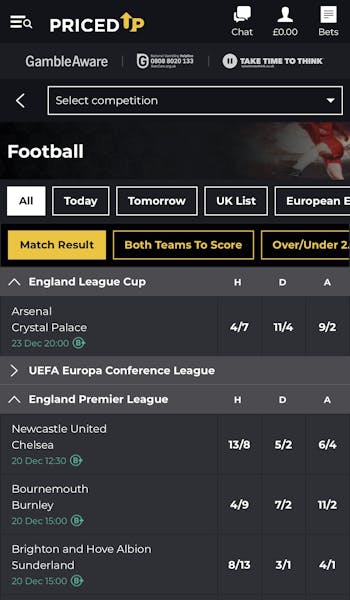
If you take football as an example, you have a search bar at the top of the page, followed by two further horizontal menus, which are scrollable. These allow you to explore different betting "forms" and a range of high-interest markets.
Drill deeper and you will see a list of upcoming events. These are clearly separated from one another, whilst collapsible panels also aid a user's ability to browse. Within this view, the odds are clearly displayed too, making it easy to place bets.
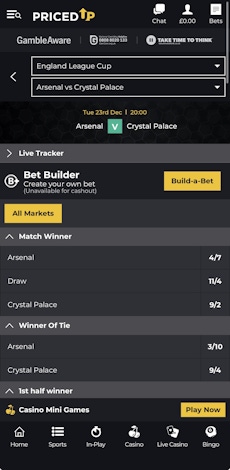
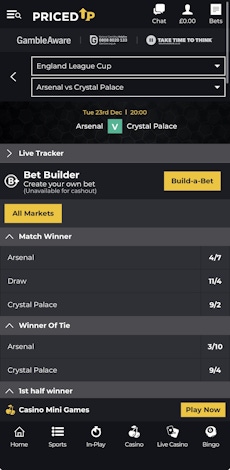
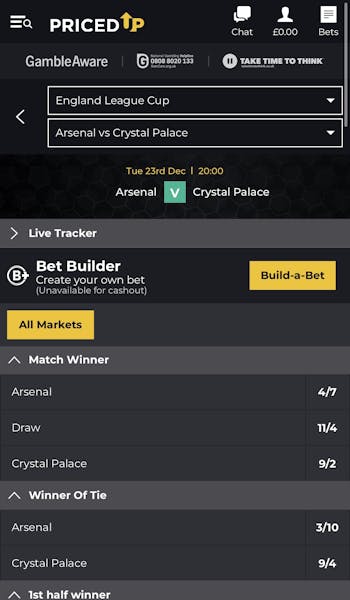
The collapsible panels remain a feature of the app when you look to delve into a specific fixture.
PricedUp App Casino Review
There are plenty of similarities between the PricedUp casino and sportsbook, especially around the general navigation elements. The presence of another horizontal scrollbar makes it easy to switch between sports to casino - and into the live casino - without any hassle at all.

Once there, you can immediately start exploring the different menu options, and that is where the first real notable step change from sports occurs.
The horizontal bar in the casino and live casino sections also puts a search button at the front of the list, whilst the traditional casino also contains a filter view, allowing isolation of specific software providers.
Beyond that, it is all a question of layout and interactions. Game tiles are easy to flick through with clear headings separating out sections and tiles that are well sized and responsive to a finger tap.
Customer Support on the PricedUp App
There are decent customer support steps in place at PricedUp, which is the main thing to shout about, but it is not the most structured part of the app.
You can access a live chat function from the app header bar, you can explore help sections and activate a chat in the main menu options and you can then pick up further communications in the app footer.
Everything works as you would expect, it's always fairly accessible and the help you get on the other side is good, however, the lack of consistent approach could be resolved quite easily with one, well located "Help" area. It would improve the user experience.
Expert Opinion of the PricedUp App

If you are a Pricedup customer, then there are not many reasons not to get the app. It's not a world apart from the mobile-friendly website, but it is certainly not any worse and everything on the app slickly links together for a fairly seamless experience.
After all, this is what most punters are looking for, so we don't have any complaints.
More PricedUp Guides


Ashley, an Ipswich Town fan, is an experienced content writer in the sports & betting space, who also has an extensive background in data analytics. Those skills combine here to allow for unique angles to be taken across a host of topics.