Midnite Apps: Download The Latest Android and iOS Versions (March 2026)
Midnite is not a brand with a huge history behind it, but it has a very clear identify of what it wants to be.
There are a couple of different routes to downloading the Midnite app. On the Midnite website, if you scroll down to the site footer, you will find the option to download both versions of the app.
Your other avenue to downloading the app is to go directly to your preferred Play Store. Once there, search for the phrase "Midnite" and then select the "Midnite: Sports & Casino" app by Dribble Media.
The app is highly rated across both stores with:
- ⭐ 4.7 average on the App Store (4k+ reviews)
- ⭐ 4.4 average on Google Play (2k+ reviews)
Whether you opt for the Apple download, like us, or the Android route, the process is a simple and swift one.
-
Midnite Apps
Google Play App Store


How to Register on the Midnite App
If you are a new Midnite customer, you will need to register for an account after downloading the mobile app. Our step-by-step guide will ease you through that process:
-
Open the Midnite App and Start Your Registration
We are working on the basis that you have read our Midnite app review and have opted to download the app already.
Once at that point, simply open the app and hit the white "Sign Up" button that appears at the bottom of the screen.

-
Update Your Account Information
The sign up process is simple and intuitive to follow at Midnite, but it is broken into several small steps. They are:
- Choose a welcome bonus, or skip this part.
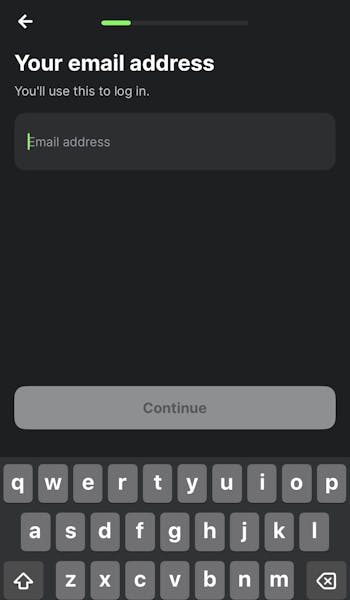
- Enter your email address.
- Populate your first and last name.
- Enter your date of birth.
- Input your mobile number & validate the code.
- Input your address details.
- Configure your personal preferences.
You are now ready to deposit and play.
How to Deposit on the Midnite App
Once registered, you will want to deposit funds. Follow our step-by-step deposit guide to doing so on the Midnite app:
| Payment Method | Min Deposit | Max Deposit | Deposit Fee | Processing Time | Triggers Bonus |
|---|---|---|---|---|---|
 Visa | £5 | £5,000 | No fee | Instant | |
 Mastercard | £5 | £5,000 | No fee | Instant | |
 Revolut | £5 | £5,000 | No fee | Instant | |
 Apple Pay | £5 | £5,000 | No fee | Instant | |
 Google Pay | £5 | Not specified | No fee | Instant | |
 Trustly | £5 | £5,000 | No fee | Instant |
| Payment Method | Min Withdrawal | Max Withdrawal | Withdrawal Fee | Withdrawal Time |
|---|---|---|---|---|
| Visa | £5 | Not specified | No fee | Instant in our test |
| Mastercard | £5 | Not specified | No fee | 1-5 business days |
| Revolut | £5 | Not specified | No fee | 1-2 business days |
| Apple Pay | £5 | Not specified | No fee | Instant in our test |
| Google Pay | £5 | Not specified | No fee | Instant in our test |
| Trustly | £5 | Not specified | No fee | Instant in our test |
-
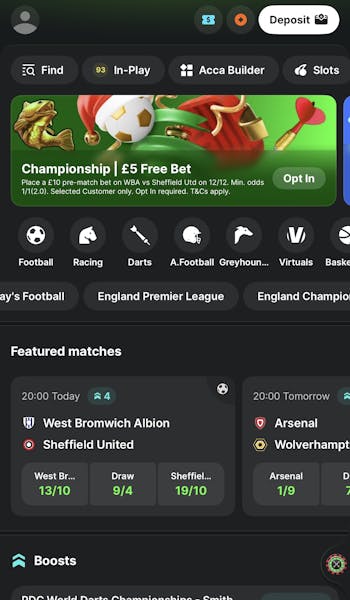
Hit "Deposit"
After logging in to the Midnite app, head to the top right corner. Here you will see a white "Deposit" button. Click it.
-
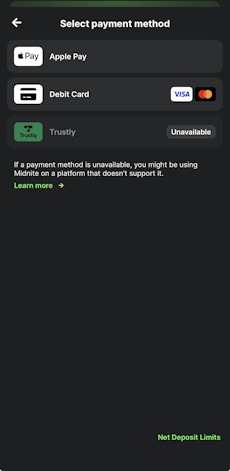
Choose Your Deposit Amount & Payment Method
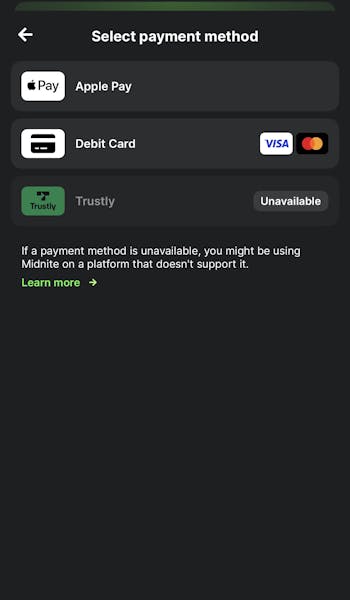
There are two parts to the deposit process. Firstly, enter your chosen deposit amount, which can be typed or input using the quick select options.
Then, from the next box down, choose your preferred deposit method.
Once down, you can confirm your deposit with the "Deposit" button located at the bottom of the page.
How to Withdraw on the Midnite App
All being well, at some point you will want to withdraw funds from your account. You can do that on the Midnite app by following the below steps:
-
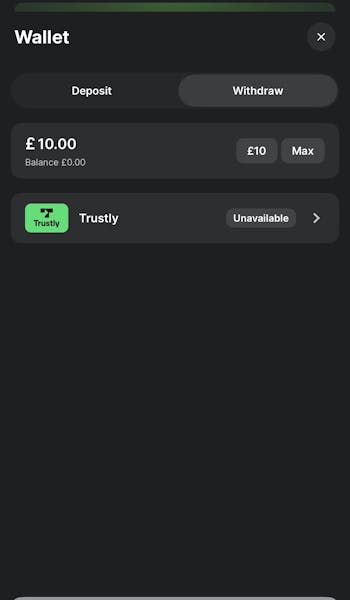
Access Your Wallet
It is not the most intuitive process but hit the white "Deposit" button, which is located in the app header.
From here, toggle to the "Withdraw" tab.
-
Set Your Withdrawal Amount
You have two boxes to complete in the withdrawal screen. The top one requires you to input the amount you wish to withdraw.
Under that, you can choose your desired banking method. It is a bit of a false presence though, as you have to withdraw to the same method from which your deposited.
Hit the "Withdraw" button when happy with your input.
In our Midnite withdrawal tests, several options have performed amazingly with instant times seen with Visa, Google Pay and Trustly.
Midnite App Sports Review
If you want to understand the ins and outs of the sportsbook offering available to you through this operator, then we'd point you in the direction of our main Midnite review. That covers the breadth and depth of the sportsbook, with references to margins and offers as well.
Here we are dedicated to the Midnite app review, which means we put our focus into the usability of the sportsbook side of the app.
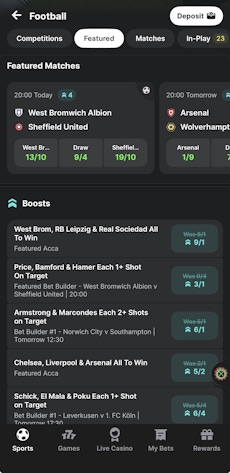
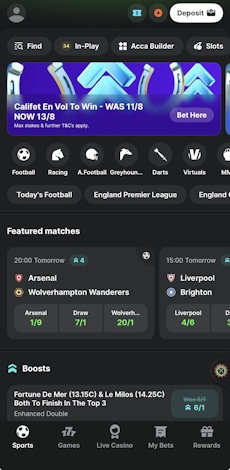
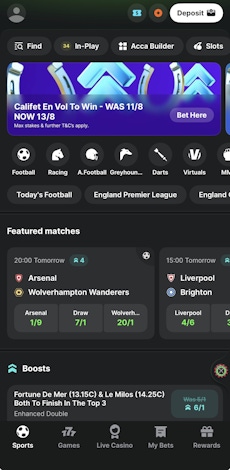
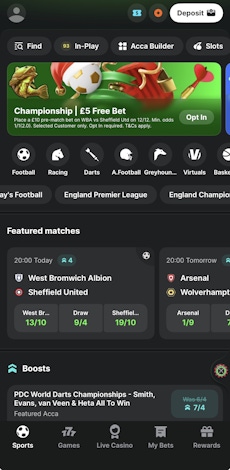
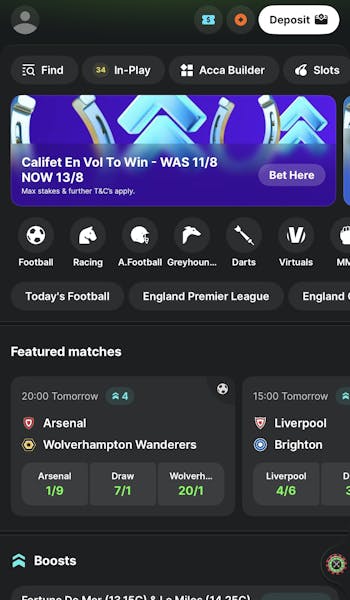
The entire sportsbook is underpinned by four horizontal menu options; one allows you to flick seamlessly flick between high-level options like search tools, in-play markets and accumulators - and more. Under that, you have special offers, which take on a prominent space on the page.
Beneath the promos, you have a reference of different sports - each signposted by smartly designed icons - and, just below, a similar scrollable menu but dedicated to competition specifics. Not only do each of those menus look smart but they are easy to use and highly responsive.
When it comes to drilling into a specific sport, the app maintains its branding despite taking on a slightly different structure. Expect to find easy to select "specials" and a quick ability to delve into fixtures and events.
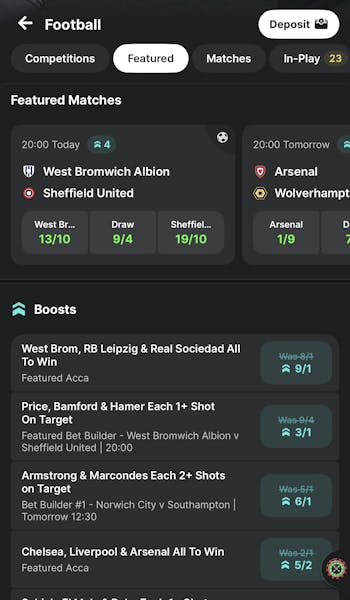
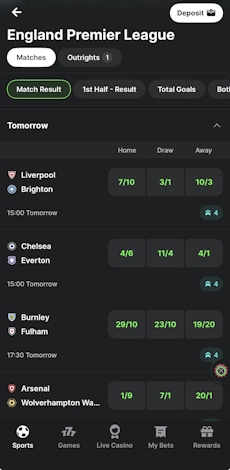
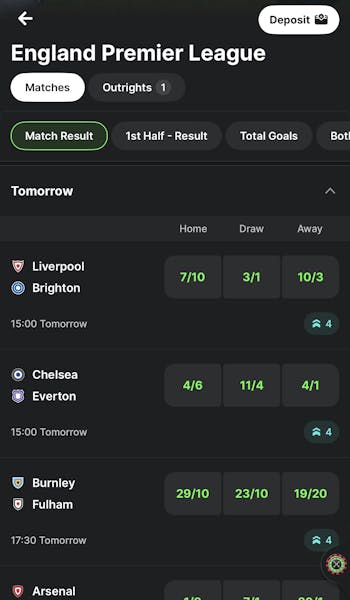
Taking an example from football, you have another user-friendly scrollable menu that runs across the top of the page that allows for efficient changes between key markets, including "Match Result", "Double Chance" and "Total Goals".
Under that, the fixtures are displayed in date and time order, with collapsible panels to isolate specific dates. The games and odds are clearly displayed and change slickly as you navigate the aforementioned header options.
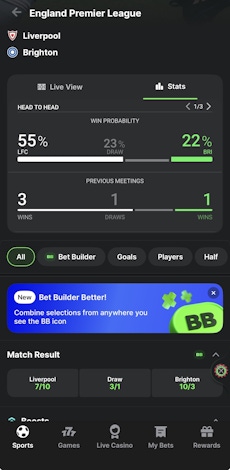
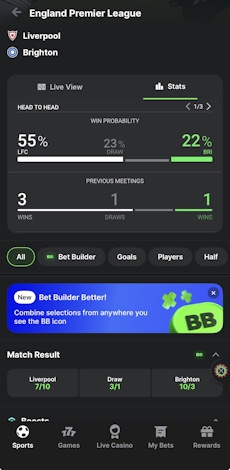
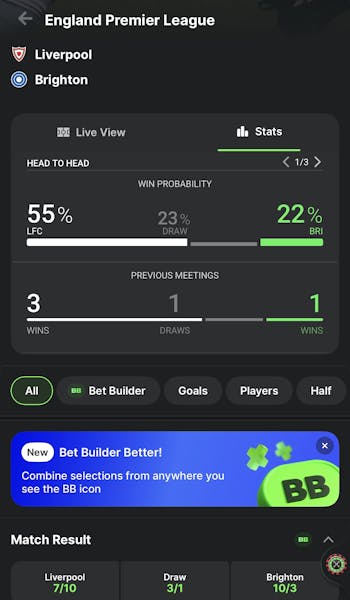
Clicking on any of the fixtures displays the full range of betting options available for that event. The top of the screen includes an option to display a "Live View" and "Stats", which will carry benefit for a lot of punters.
Then you get more consistency of style with another horizontal menu options, which enables you to jump to your desired markets. The odds layout is again intuitive to read and easy to bet on.
Midnite App Casino Review
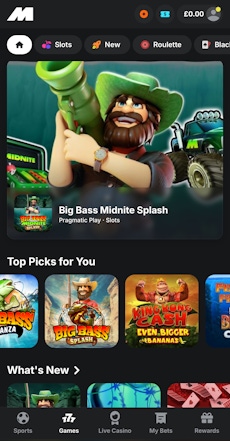
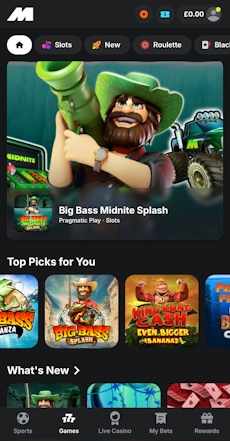
There are two components to the Midnite app casino. Both are accessible from the app footer and switching between them is just a single touch away. The structure of each is identical too, which is a level of consistency we can really get on board with from a user experience angle.
Working from the top down, you get have the presence of a search bar, which double as a filtering tool when you click in it. Underneath that, you've got a slick to use scrollable menu bar that allows you to browse game categories.

Navigate further down the page and you will find sensibly sized game tiles, separated by clean headings. A horizontal flick of the finger will see you scrolling through the plethora of different games available under each category.
The one exception to the two casino pages that steps away from being game specific, is the feature that allows users to explore the software companies.
Customer Support on the Midnite App
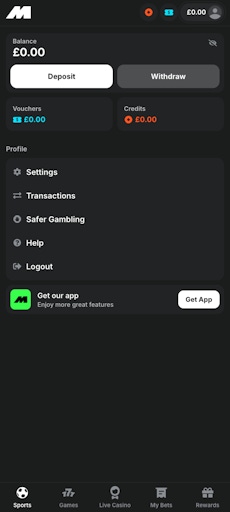
The Midnite customer support section is easily accessible with it located under your main account overview, which is accessible via the top left corner.
Once here, you'll find a "Help" section in the menu, which gives you a variation of different contact methods to explore. Your contact options are:
- Live Chat
- Telegram Bot
- Letter
- Chat Bot
With a separate "Safer Gambling" section, which is really well structured, available in the same location, it is hard to have any complaints over what is on offer.
Expert Opinion of the Midnite App

We've already called Midnite out as a modern, forward-thinking brand and its mobile app is another piece of evidence to that being true.
The navigation and app layout work exactly as you'd expect them to, which is not a guarantee with many apps. And the general usability of the site is ultra-responsive and slick.
Combine the positives of design and user experience together and there is not really any reason for not downloading the Midnite app.
More Midnite Guides


Ashley, an Ipswich Town fan, is an experienced content writer in the sports & betting space, who also has an extensive background in data analytics. Those skills combine here to allow for unique angles to be taken across a host of topics.