BetWright Apps: Download The Latest Android and iOS Versions (March 2026)
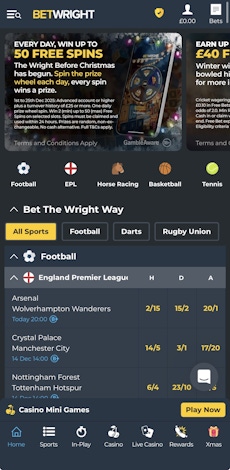
With BetWright being a fairly recent launch, you would expect them to be aggressive where modernisation of design and function is concerned. The presence of a mobile app, which is available on iOS and Android devices, is one angle they definitely have down.
To download the apps, click our links below and scroll all the way down to the site footer and find the "Get the App" section on the left hand side. Here you'll be directed to your desired app store.
The button sizes that direct you to the respective app stores aren't huge, so, if you have large hands, you might want to zoom in or consider the other route to app download, which is to head to the app store. Once there, search for "BetWright" and locate the app by BW Operations Limited.
The app does not have extensive reviews against it, with only a handful of ratings awarded. You'll need to take them with a pinch of salt, such is the challenge of small sample sizes, but a score of 3.9 out of five is far from tragic. The other point worth noting here is that as 21.8MB, it's not going to eat phone memory.
Downloading the app, on Android or iOS is very simple, and should take a matter of seconds.
-
BetWright Apps
Google Play App Store



How to Register on the BetWright App
If you are an existing BetWright customer, you can log in to the app using your standard username and password.
If, however, you are new to BetWright, you will need to register for an account. You can do this in the app by following our step-by-step guide:
-
Open the BetWright App and Hit "Sign Up"
The first thing you will need to do to register at BetWright is to open the app, and approve location tracking. This is because it needs to confirm you are UK-based.
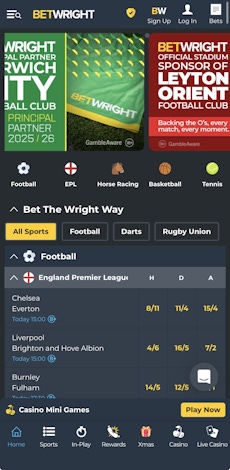
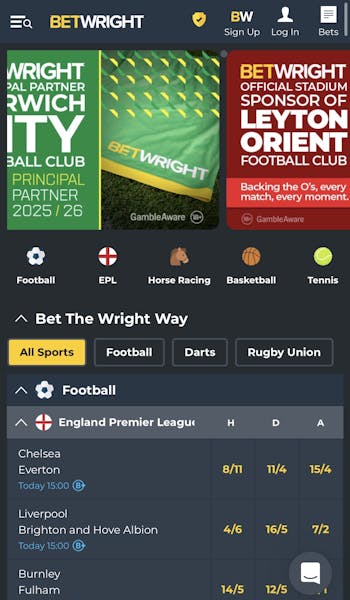
Once done, you'll see a standard-looking bookmaker page. In the header bar, hit the "Sign Up" button.
-
Enter Your Key Account Detail
On clicking the "Sign Up" button, you will be taken to a new screen where you have to input your email address and create a password.
Once done, the greyed out "Create Account" button will turn yellow. Click it.

-
Complete the Registration Form
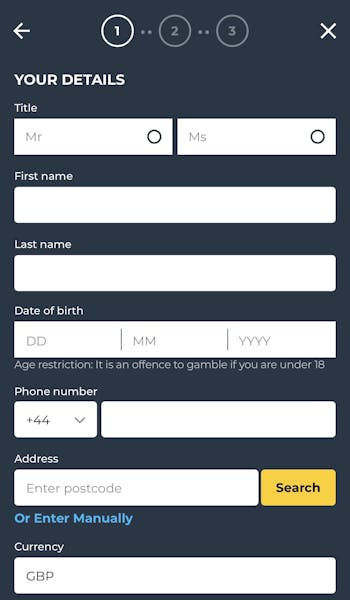
There is now a three-page sign up form to complete. It is an intuitive process to follow through. It covers off personal information and preferences, including marketing and responsible gambling choices.
The final step of the process allows you to deposit funds, however, it is possible to "skip" this step and make a deposit at a later point in time.
How to Deposit on the BetWright App
Now that you are signed up with Betwright, there is a strong chance you will want to deposit funds into your account. Follow our step-by-step BetWright app deposit process to do so:
| Payment Method | Min Deposit | Max Deposit | Deposit Fee | Processing Time | Triggers Bonus |
|---|---|---|---|---|---|
 Visa | £1 | £5,000 | No fee | Instant | |
 Mastercard | £1 | £5,000 | No fee | Instant | |
 Apple Pay | £1 | £5,000 | No fee | Instant |
| Payment Method | Min Withdrawal | Max Withdrawal | Withdrawal Fee | Withdrawal Time |
|---|---|---|---|---|
| Visa | £1 | Not specified | No fee | Instant in our test |
| Mastercard | £1 | Not specified | No fee | 3-5 working days |
| Apple Pay | £1 | Not specified | No fee | 1-3 business days |
-
Open Your Account
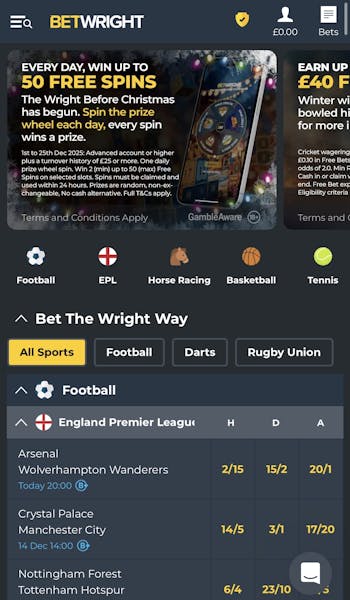
Once logged in, head to the header bar and open your account. This is the head & shoulder icon, located in the top right corner. It will show your account balance beneath it.
-
Navigate to "Deposit"
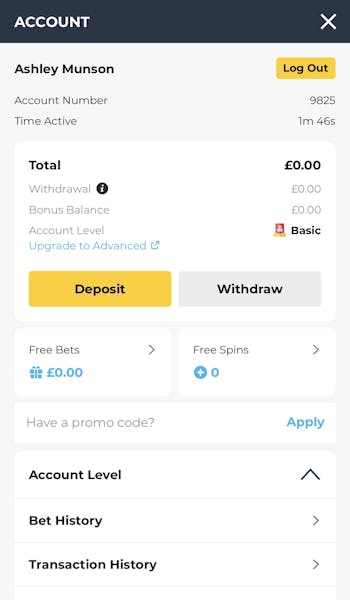
The view you are presented with is an account overview. Hit the prominent, yellow "Deposit" button.
-
Declare Your Deposit Amount
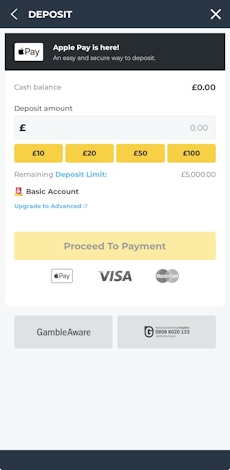
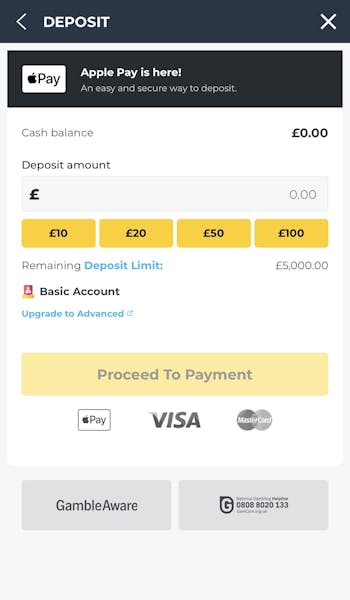
You now need to enter your desired deposit amount. You can type this directly into the "Deposit Amount" box of use one of the yellow, quick deposit buttons.
Once an amount has been entered, the "Proceed To Payment" button will turn yellow.
Hit it.
-
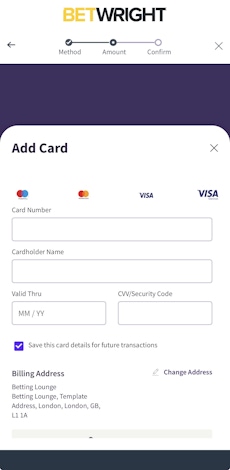
Enter Your Payment Details
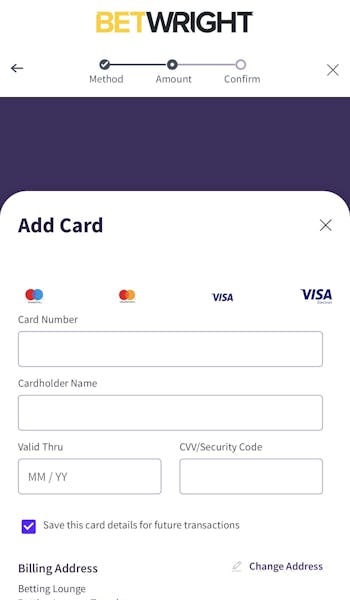
Finally, you will need to select your preferred payment method. Then it's just a case of confirming the required details and confirming your deposit.
How to Withdraw on the BetWright App
If things go well, you will be withdrawing some winnings at some point. To withdraw from the BetWright app, simply follow the process below:
-
Open Your Account Section
Head to your account section, utilising the head & shoulders icon that is positioned on the right hand side of the app header bar.
-
Navigate to Withdraw
Locate the grey "Withdraw" button, which is located alongside the more prominent "Deposit" button.
-
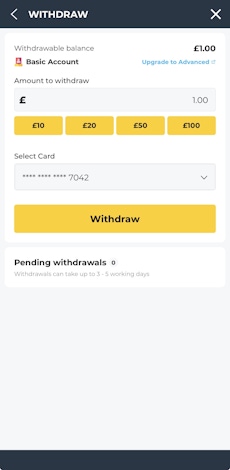
Set Your Withdrawal Amount
Withdrawals are only allowed to be processed back to the payment method you used when depositing, so the next screen you see requires you to set your desired withdrawal amount.
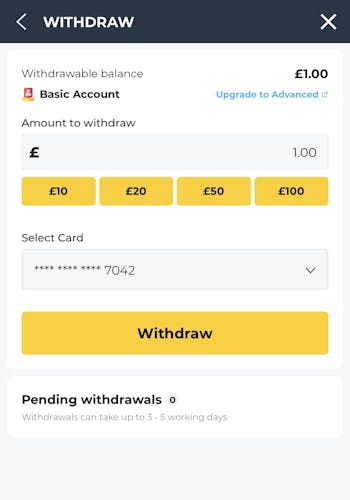
This can be manually keyed in, or selected using the quick reference buttons.
Once done, hit the yellow "Withdraw" button.
BetWright App Sports Review
There are so many sportsbook metrics you can measure an operator by. We've already done all of that in great detail in our BetWright review. This, however, is a BetWright app review and, as such, our energy is focused solely on how the app works.
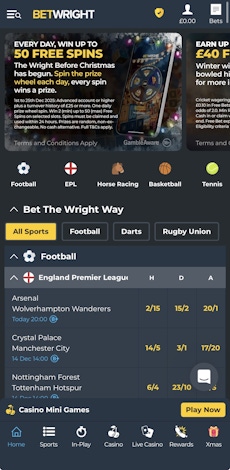
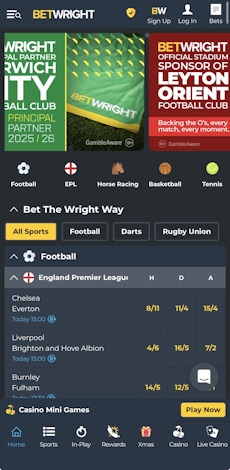
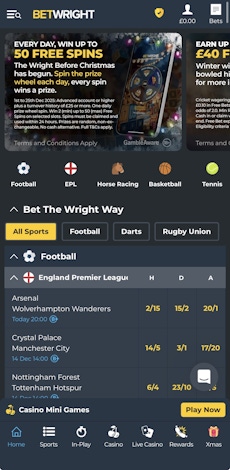
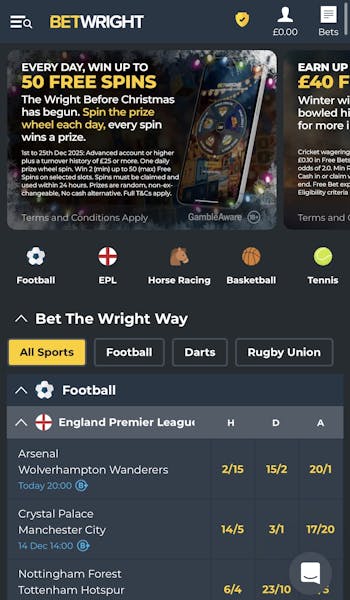
The main sports page is navigated by a simple to use, scrollable menu that runs horizontally across the screen.
This menu bar allows you to access a range of popular sports but it isn't an exhaustive menu; for a full A-Z you have to open the burger menu in the top left corner. Here you can browse over 20 different sports, plus TV and Specials markets.
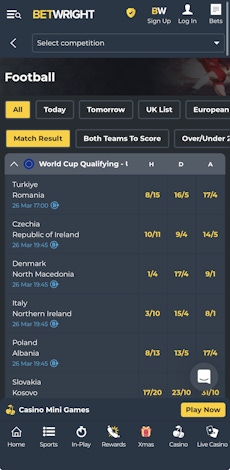
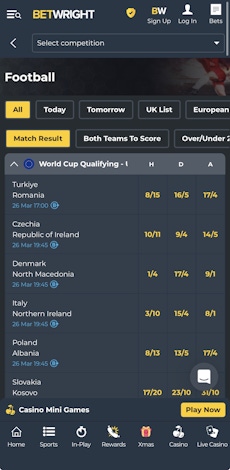
Once navigating into a sport, the view changes somewhat, albeit the look and feel is broadly maintained.
Horizontal menus remain a consistent theme, but they're now focused on different bet slips and markets, whilst a competition search bar exists at the top of the page. This all makes exploring your betting options very easy.
As for the specific events, contrasted text colouring between the event and the date/time of the event provides good separation for the eye, whilst getting a read of the odds is clear to digest too.
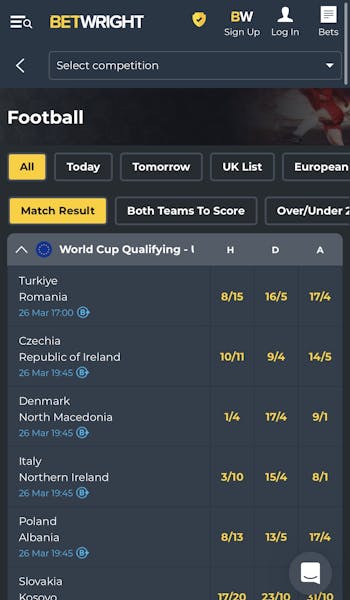
Having an indication of market depth on the front page wouldn't go amiss, but you can delve into the event for more detail; navigation within this section is very consistent with previous pages, whilst the ability to expand and collapse markets makes scrolling through options intuitive.
BetWright App Casino Review
The BetWright casino splits cleanly into two different sections - a traditional casino and a live casino. From a user interface angle, however, they are clones of one another, which is a good thing. It means you can flick from one place to another and feel comfortable with what is in your hands.
As is the case across the app, the menu options run horizontally across the screen, enabling you to browse the different game categories.
The two slight exceptions to that app consistency exist on either side of this scrollable panel, courtesy of a search button on the left and a "Studio Filter" on the right, which allows you to filter games by software company.
Beyond the search options and category browsing, you quickly get into the gaming detail with different summaries, containing large thumbnails of games and an easy-select "view all" option.
Among this section, you also see key areas like "Trending" games, which is a nice way of trying new things.
Customer Support on the BetWright App
It is hard to criticise the customer support available at BetWright, with FAQ guides, email contact and live chat options all available, however, the structure of how to access those sections in the app is scattergun.
You can tap into help sections under your main account section in the top right of the page and by the main menu, which is located in the top left. Then, if you scroll to the app footer, you will find the links for email.
Beyond all of that, the live chat function remains available constantly, with the icon sitting in the bottom right.
Like we say, scattergun is probably the best phrase to describe the positioning of the customer support options at Betwright. You can't accuse it of hiding away, though.
Expert Opinion of the BetWright App

We're not sure the BetWright app is going to win any awards for innovation, however, it is highly functional.
It puts everything you need at your fingertips with exploration around the app, and its general use, both proving highly-intuitive. It's hard to find too much to complain about.
More BetWright Guides


Ashley, an Ipswich Town fan, is an experienced content writer in the sports & betting space, who also has an extensive background in data analytics. Those skills combine here to allow for unique angles to be taken across a host of topics.